
Commission examples
Chamet Agency Commission: Direct Hosts and Sub-Agents Explained
To understand an agency commission estimate, you need three things: your applicable rate, the eligible revenue for the calculation period, and whether that revenue comes from direct hosts or a sub-agent’s team.
- Your applicable rate
- Eligible revenue for the period
- Direct hosts or sub-agent team
This guide explains the calculation supplied for our onboarding examples. Confirm the current rules in your own agency dashboard before using any estimate as an expected payment.
Your Rate and Your Commission Are Different
A commission rate is a percentage. A commission payment is the amount calculated by applying the relevant rule to eligible revenue. A larger team or a higher displayed rate does not, by itself, tell you what you will receive.
Check which revenue qualifies, the calculation period, your applicable rate and any adjustments shown by the platform. Do not use unrelated balances or a lifetime earnings total in place of the required revenue figure.
Direct-Host Commission
For the direct-host example, multiply eligible direct-host revenue by the agency rate:
Direct-host commission = eligible direct-host revenue × your agency rate
Suppose your applicable rate is 20%, and your directly recruited hosts generate $1,000 in eligible revenue for the relevant period:
$1,000 × 20% = $200
This is an agency commission example. It does not establish the host’s own payout or mean that every host receives a fixed salary.
Sub-Agent Commission
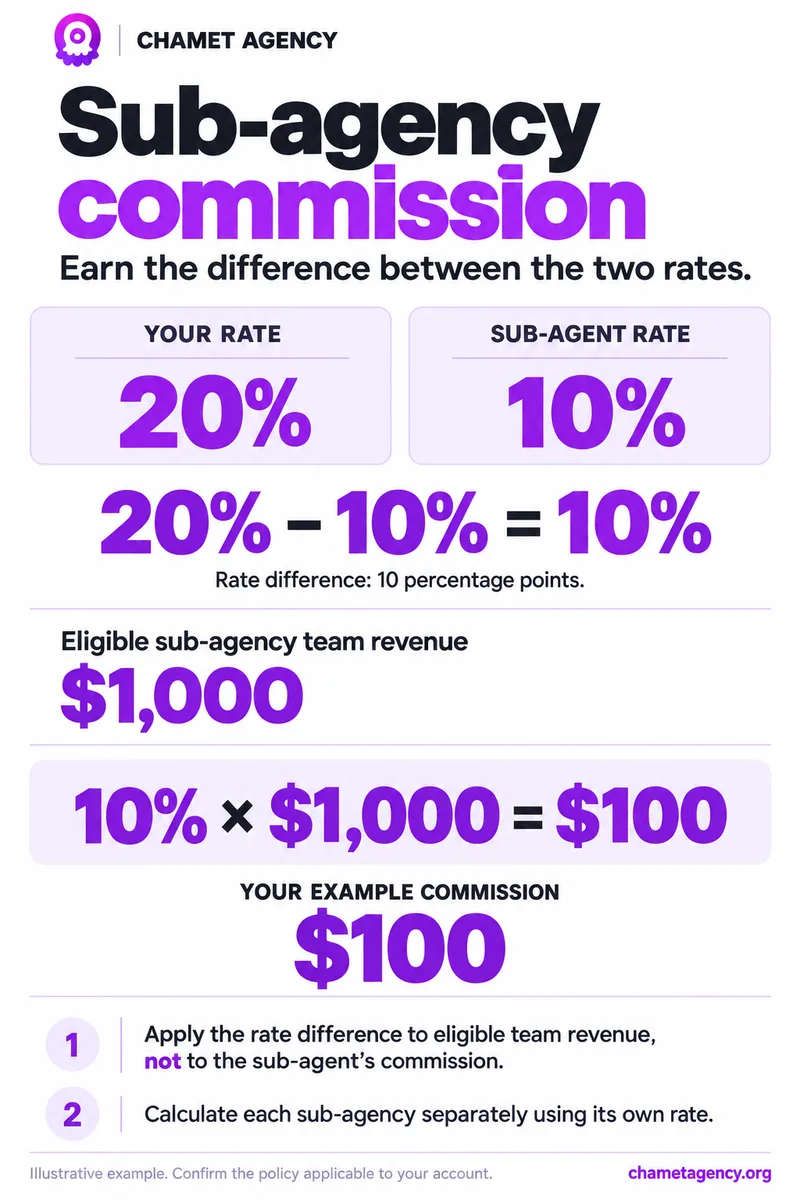
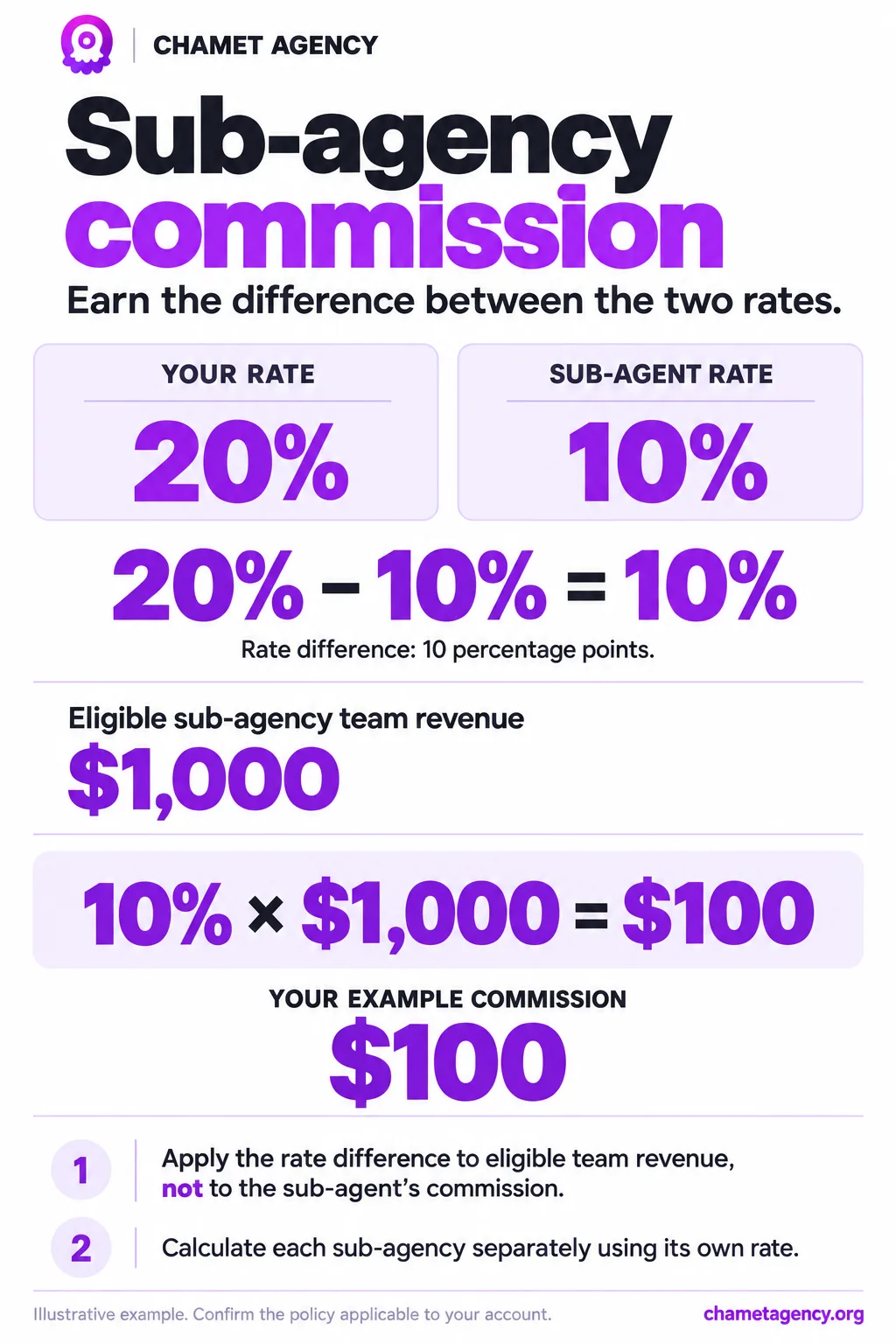
Under the rate-difference example, subtract the sub-agent’s rate from your rate. Apply the difference to that sub-agent team’s eligible revenue:
Sub-agent commission = eligible sub-agent team revenue × (your rate − sub-agent rate)
Suppose your rate is 20%, the sub-agent’s rate is 10%, and that team’s eligible revenue is $1,000:
20% − 10% = 10 percentage points
$1,000 × 10% = $100
The $100 estimate is based on the team’s eligible revenue. It is not calculated by taking 10% of the sub-agent’s commission payment.
A Combined Example
| Revenue source | Eligible revenue | Calculation | Example commission |
|---|---|---|---|
| Direct hosts | $2,000 | $2,000 × 20% | $400 |
| Sub-agent A’s team | $3,000 | $3,000 × (20% − 10%) | $300 |
| Sub-agent B’s team | $4,000 | $4,000 × (20% − 15%) | $200 |
| Total | $9,000 | $400 + $300 + $200 | $900 |
All rates and revenues in this table are hypothetical. The table assumes the listed rates apply and each revenue amount qualifies. Do not count a sub-agent team’s revenue again as direct-host revenue.
Reference Commission Tiers
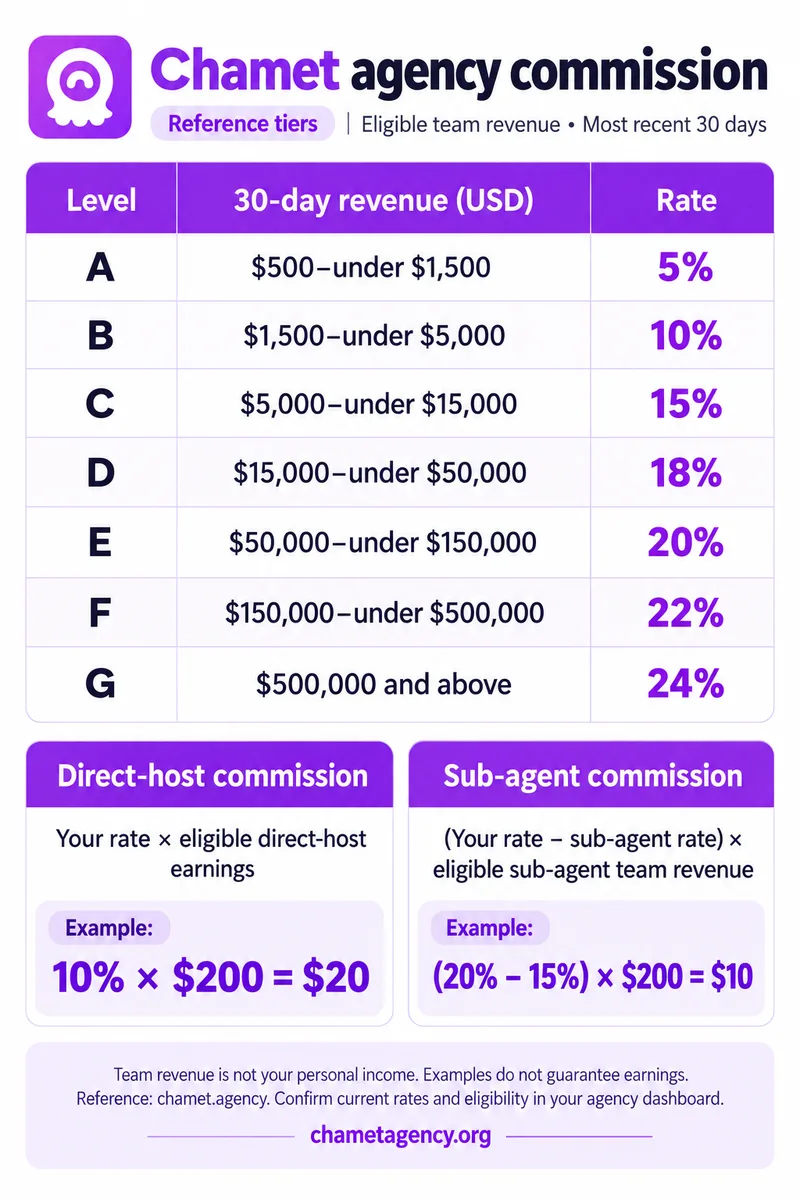
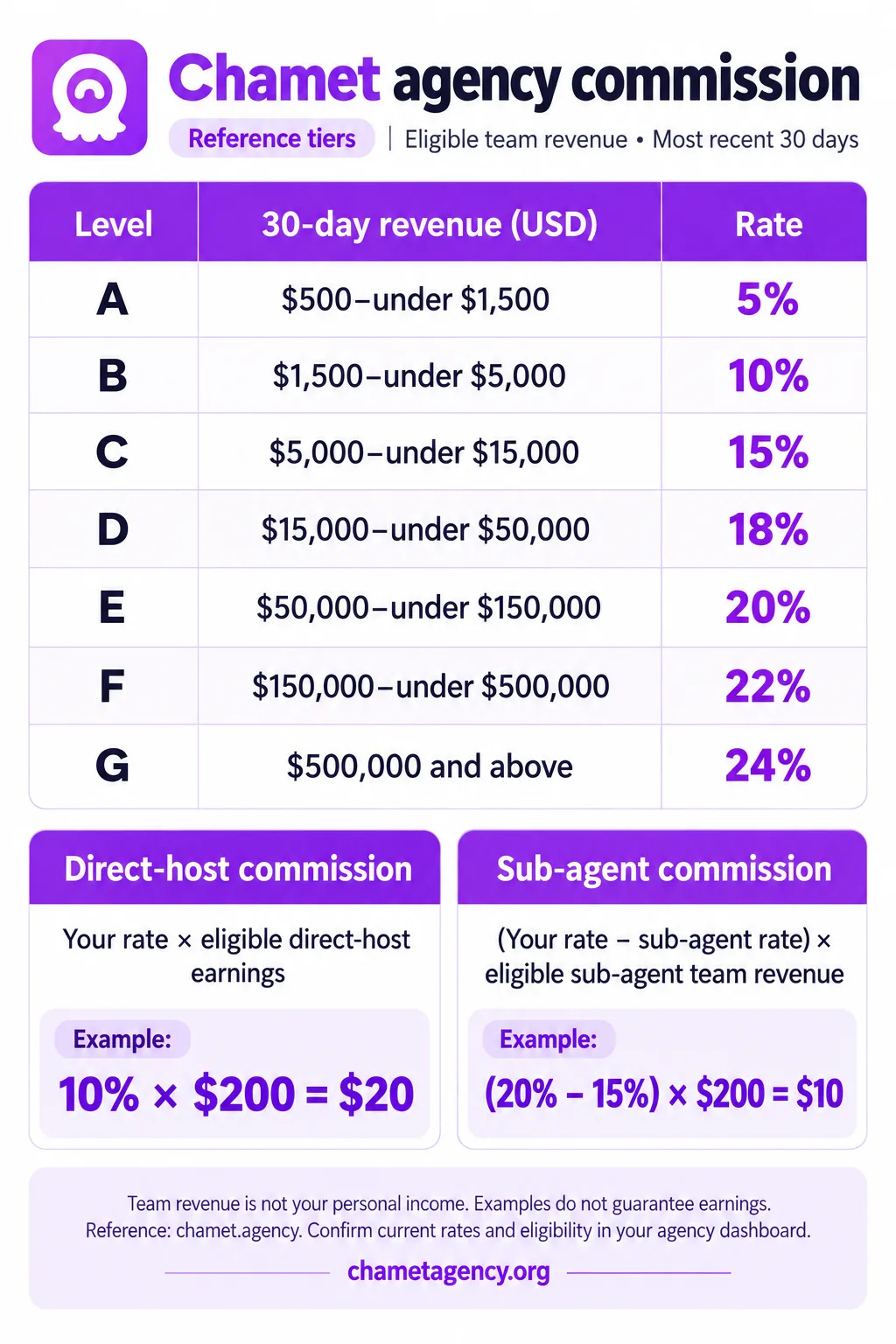
The tiers below are reference figures based on eligible team revenue for the most recent 30 days. They are published by chamet.agency and match the first threshold shown in our dashboard example ($500 for 5%). Other sources quote different maximum rates, so treat this as a guide, not a guarantee.
| Level | 30-day revenue (USD) | Rate |
|---|---|---|
| Below A | Under $500 | 0% |
| A | $500 to under $1,500 | 5% |
| B | $1,500 to under $5,000 | 10% |
| C | $5,000 to under $15,000 | 15% |
| D | $15,000 to under $50,000 | 18% |
| E | $50,000 to under $150,000 | 20% |
| F | $150,000 to under $500,000 | 22% |
| G | $500,000 and above | 24% |
Team revenue is not your personal income, and these rates do not guarantee earnings. Confirm your current rate, eligibility and calculation period under My Commission Ratio in your agency dashboard.
Understanding a 30-Day Revenue Example
For illustration, suppose the policy applicable to your account assigns a 20% rate when eligible recent 30-day revenue is at least $50,000 and below $150,000. You would first confirm that you qualify for that rate, then use the appropriate direct-host or rate-difference calculation.
This matches tier E in the reference table above, but the exact boundary at $150,000, the eligible revenue definition, the time window and when a new rate takes effect must come from your current account policy. Do not assume the entire calculation period is repriced automatically.
Where to Check Your Current Rate
Log in to your agency dashboard and review My Commission Ratio, the revenue progress indicator and the associated explanation or notices. Keep a record of the period you are comparing.
If a published guide differs from your dashboard, ask the platform to clarify the rule applicable to your account before promising a rate to your team.
Frequently Asked Questions
Does every new agency start at 5%?
Not automatically. In the reference tiers and our dashboard example, the rate is 0% until eligible 30-day revenue reaches $500, then 5%. Your own account’s current rules determine the applicable rate.
Do I receive 20% from every sub-agent?
Not under the rate-difference formula. If your rate is 20% and a sub-agent’s rate is 10%, the example difference is 10 percentage points, applied to that team’s eligible revenue.
What happens if both rates are the same?
The arithmetic difference is zero, so this formula produces zero commission for that team’s revenue. Any separate incentives would need to be confirmed in the applicable policy.
What if a sub-agent’s rate is higher than mine?
Check the platform’s rules. Do not infer a negative payment or a different entitlement from this simplified example.
Is commission the same as money available to withdraw?
No. An estimate, a settled commission and a withdrawable balance can represent different stages. Review the account’s settlement and payment information separately.