
Agent dashboard
Chamet Agency Login: Access Your Agent Dashboard
Use the agent portal to sign in to your agency account and manage your team’s invitation links. This guide explains the login choices shown in our screenshots and where to begin after signing in.
You will leave chametagency.org to access the external login page. Enter your credentials only on the platform’s login screen.
Choose the Right Login Route
The agency dashboard is for agents managing a team. Hosts use the Chamet app to access their own profiles. If you are a host, follow our host registration and login guide.
If you have not created an agency account, start with agency registration. A host account does not automatically provide agent dashboard access.
How to Log In
-
1Open the agent portal
Tap the portal button above and allow the page to load. The portal requires JavaScript. If your agency has supplied a different current login destination, check that destination with the platform before entering credentials.
-
2Select your login method
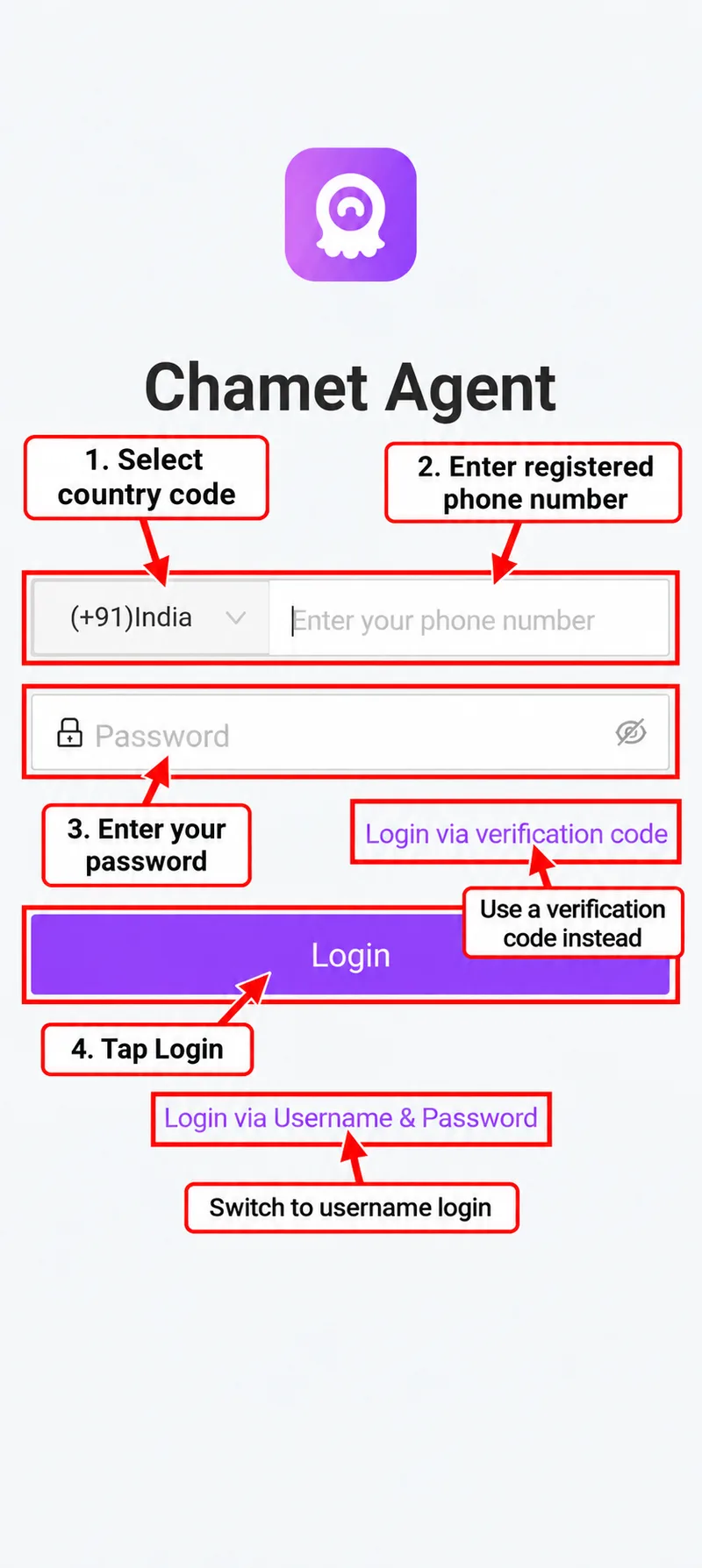
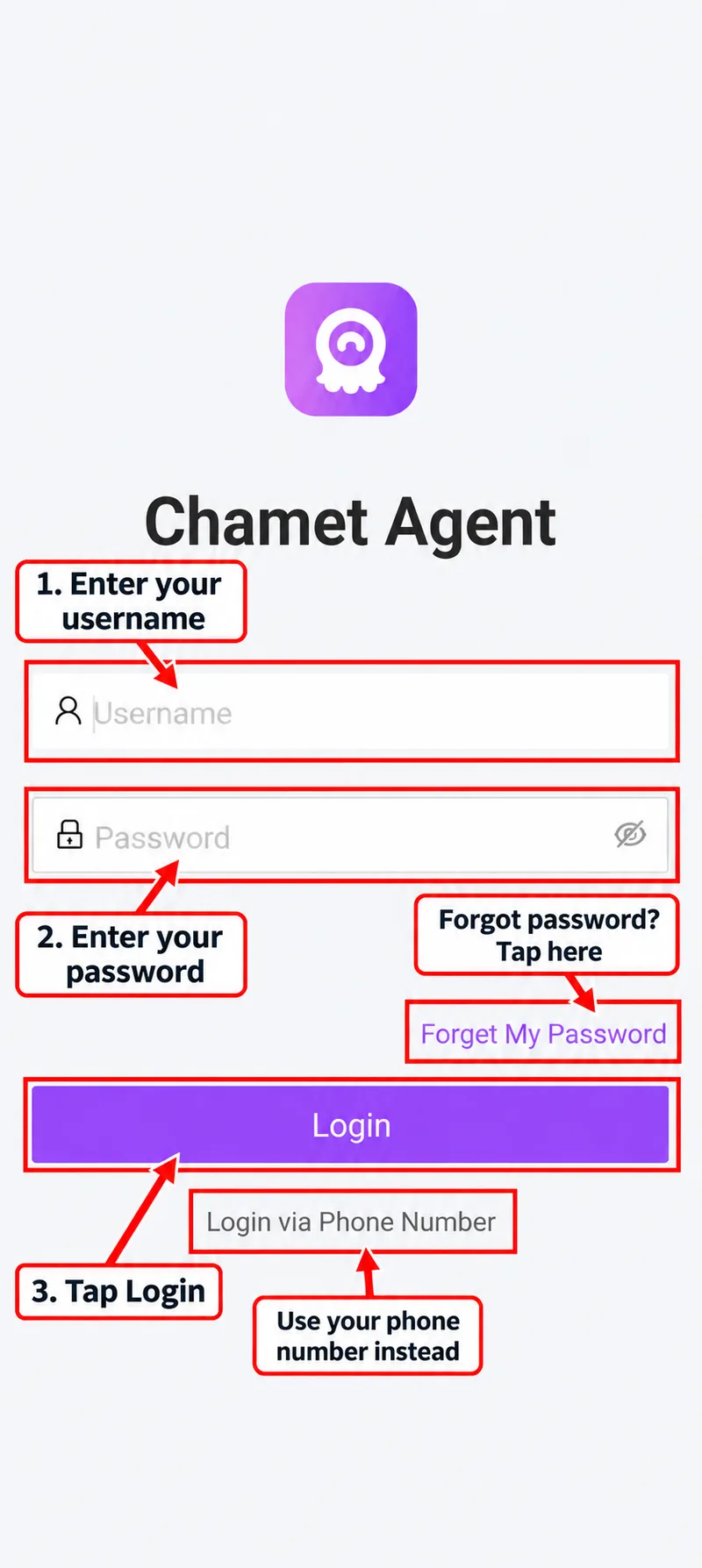
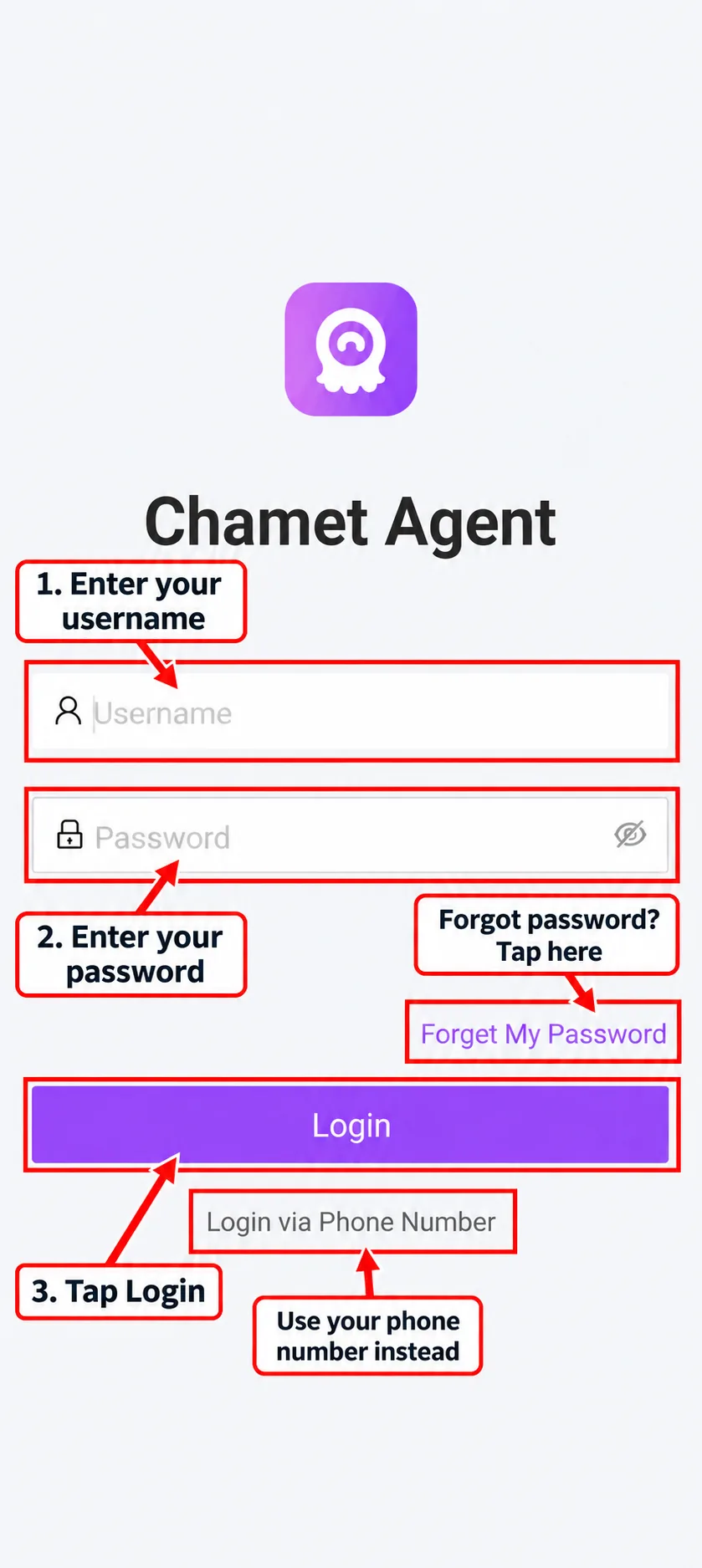
The supplied screens show phone-number login and a Login via Username & Password option. Choose the method associated with your agency account.
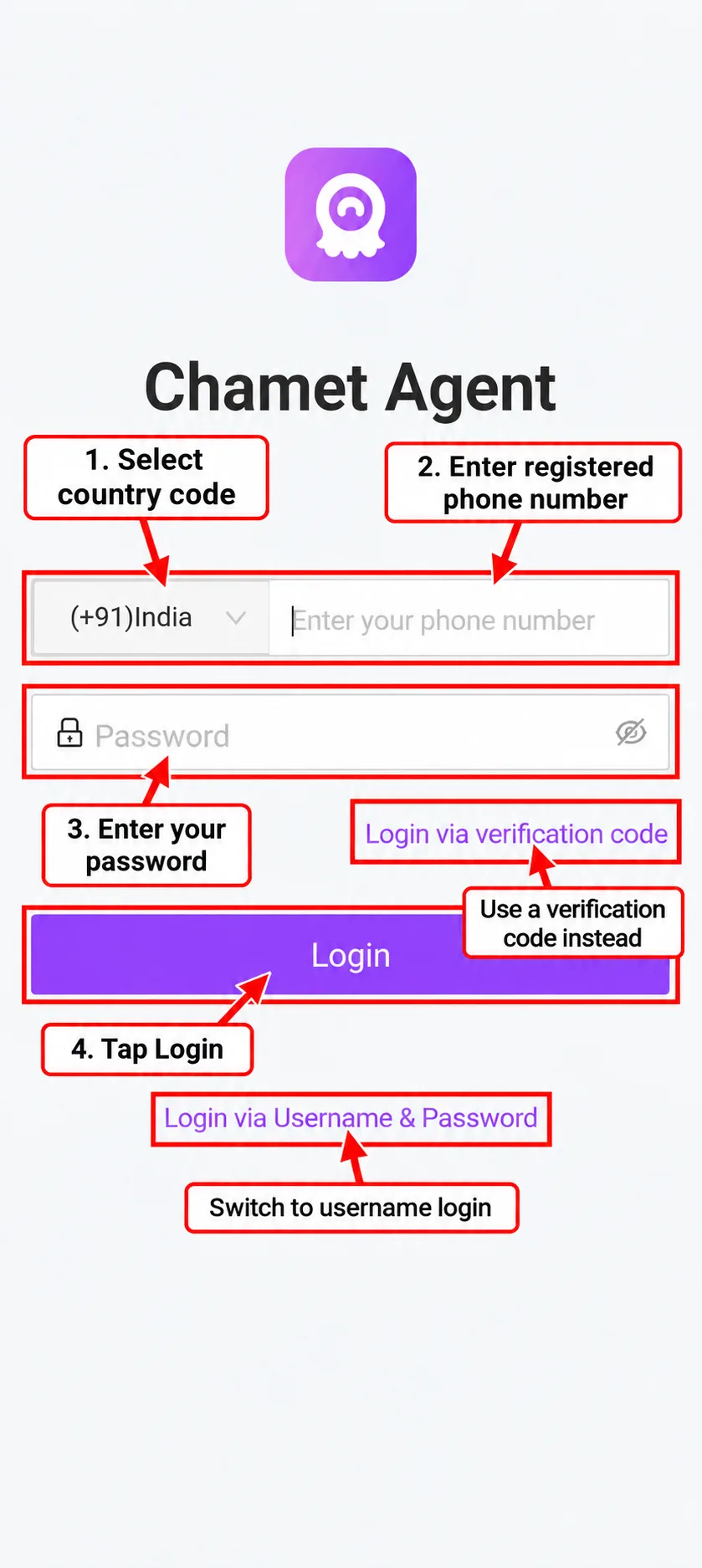
For phone login, select your country code and enter your registered phone number. Use your password or the Login via verification code option if it is available. For username login, enter your agency username and password.
-
3Complete verification and sign in
Enter the required code or password and tap Login. Follow any additional verification instructions displayed by the portal. Never share login codes with someone offering to sign in for you.
-
4Locate your invitation links
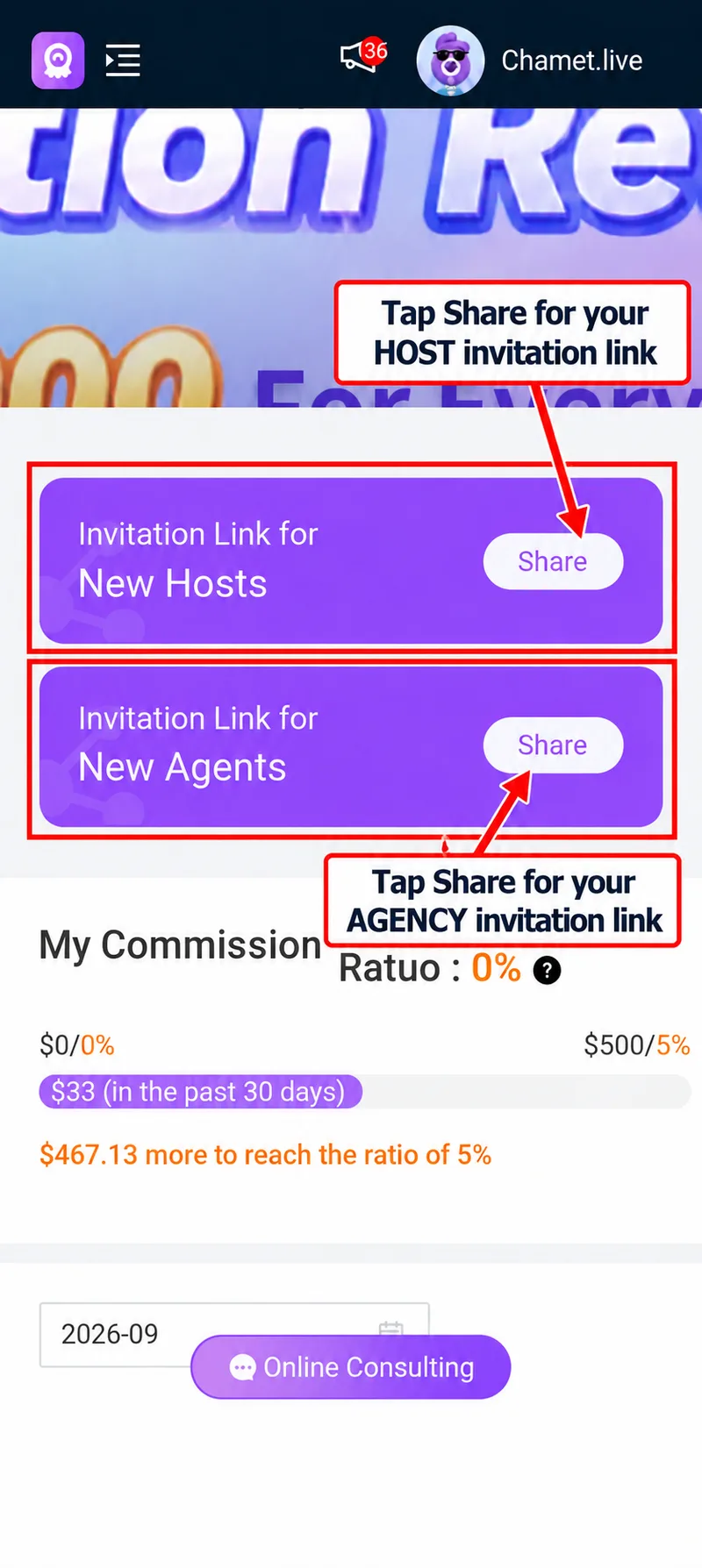
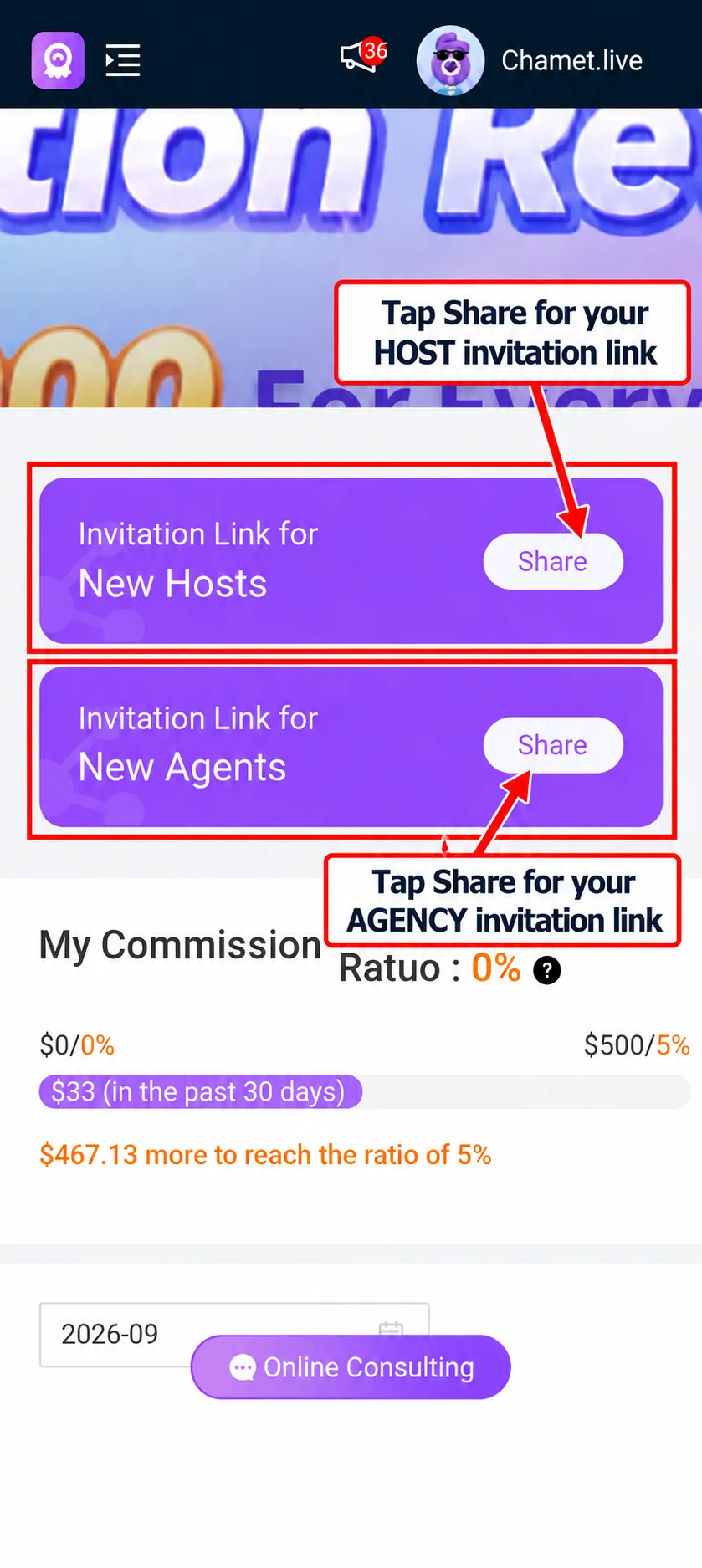
After login, find Invitation Link for New Hosts and Invitation Link for New Agents. Tap Share beside the appropriate invitation. Send the host link to hosts and the agent link to people joining as sub-agents.
Read Your Dashboard Before Making Earnings Estimates
Your dashboard displays the commission ratio and recent revenue progress for your account. The example screenshot supplied for this guide shows a 0% ratio and progress toward its first displayed threshold. Your own figures may differ.
Read the commission guide to understand the difference between direct-host commission and commission from a sub-agent’s team.
Common Login Problems
| Problem | What to check |
|---|---|
| Wrong password or username | Confirm you are using agency credentials, check typing and use the recovery option shown by the portal. |
| Phone number not recognised | Check the country code and the number used during agency registration. |
| Code has not arrived | Wait for the resend timer and check the destination number before requesting another code. |
| Blank login page | Enable JavaScript and retry in an updated browser. If the problem continues, use the platform’s support route. |
| You reach a host profile | Use the agency portal for team management; the host app serves a different account role. |
Frequently Asked Questions
Can I log in with my phone number?
The supplied agent login screen offers a phone-number option. Use the number associated with your agency account and the verification method available on the live page.
Where do I find my agency username?
Check the account details provided during agency registration. If you cannot locate them, use the platform’s account-recovery or support process rather than creating duplicate accounts to solve a login problem.
Can this website reset my password?
This website provides guidance and external links. Password resets and account access are controlled by the platform. Use its recovery process and keep your password private.
How do I share my host invitation link?
Open your dashboard, locate Invitation Link for New Hosts, and select Share. Our host onboarding guide can help your recruits follow the next steps.