
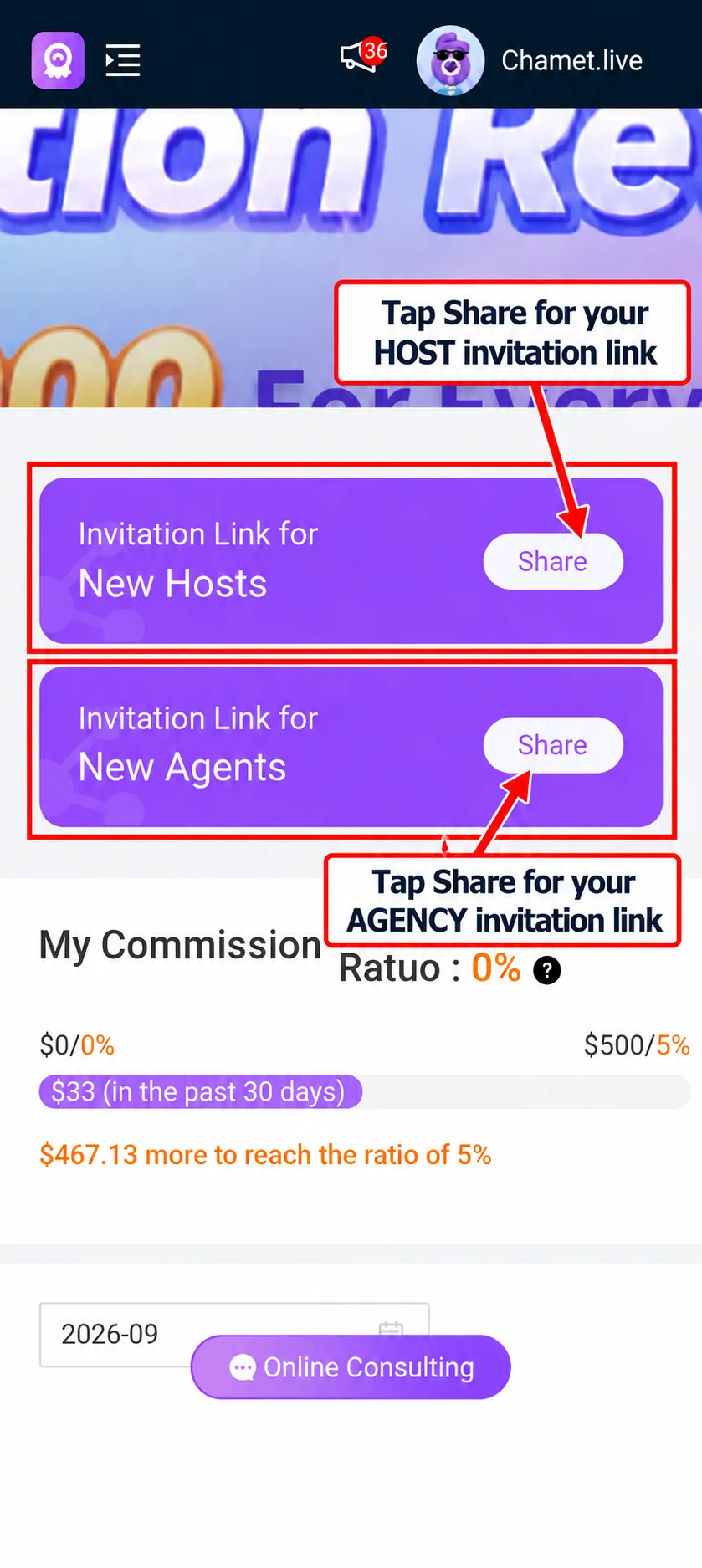
Invitation Link for New Hosts
Onboarding new hosts
For new hosts, share the Chamet host registration guide. It explains email and phone registration, app login, profile details, face verification and greeting setup.
Agency registration guide
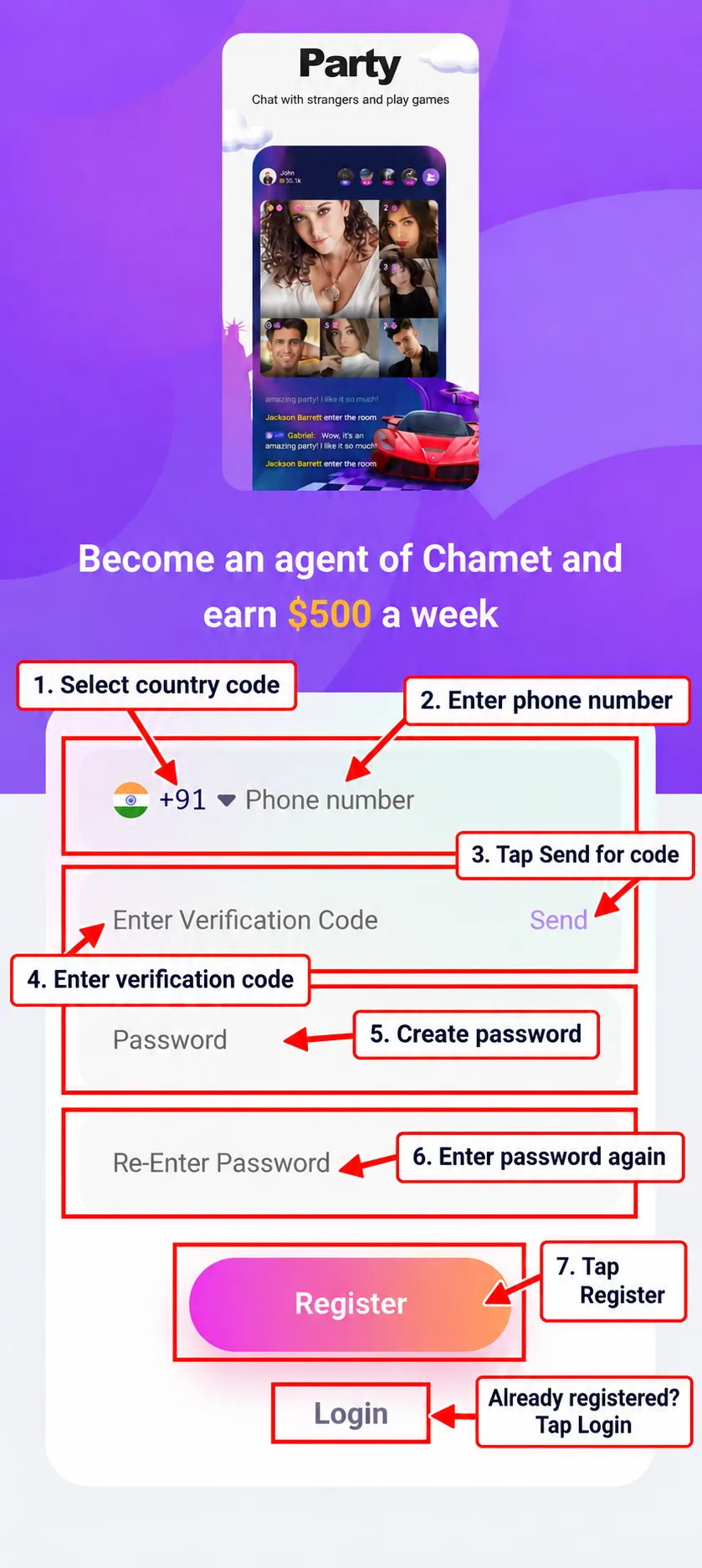
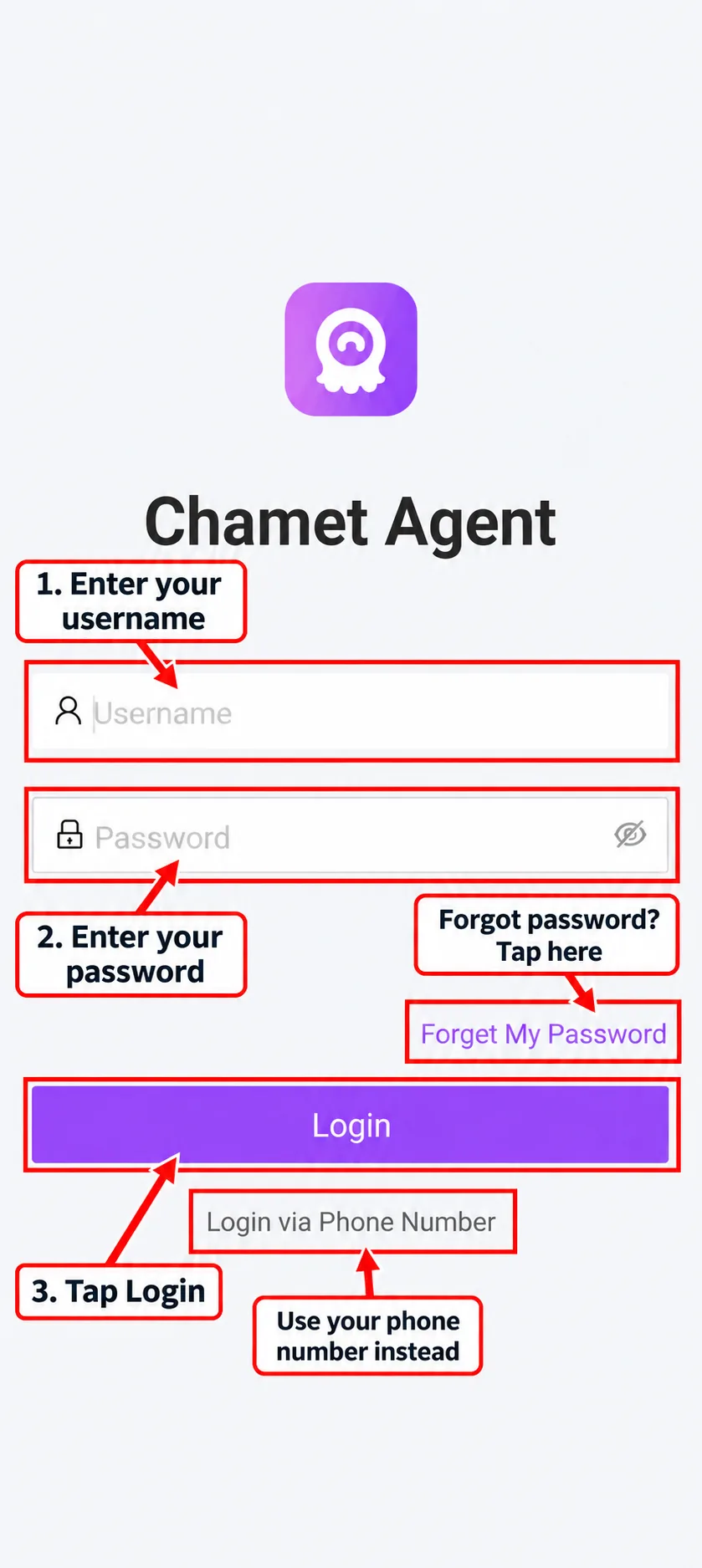
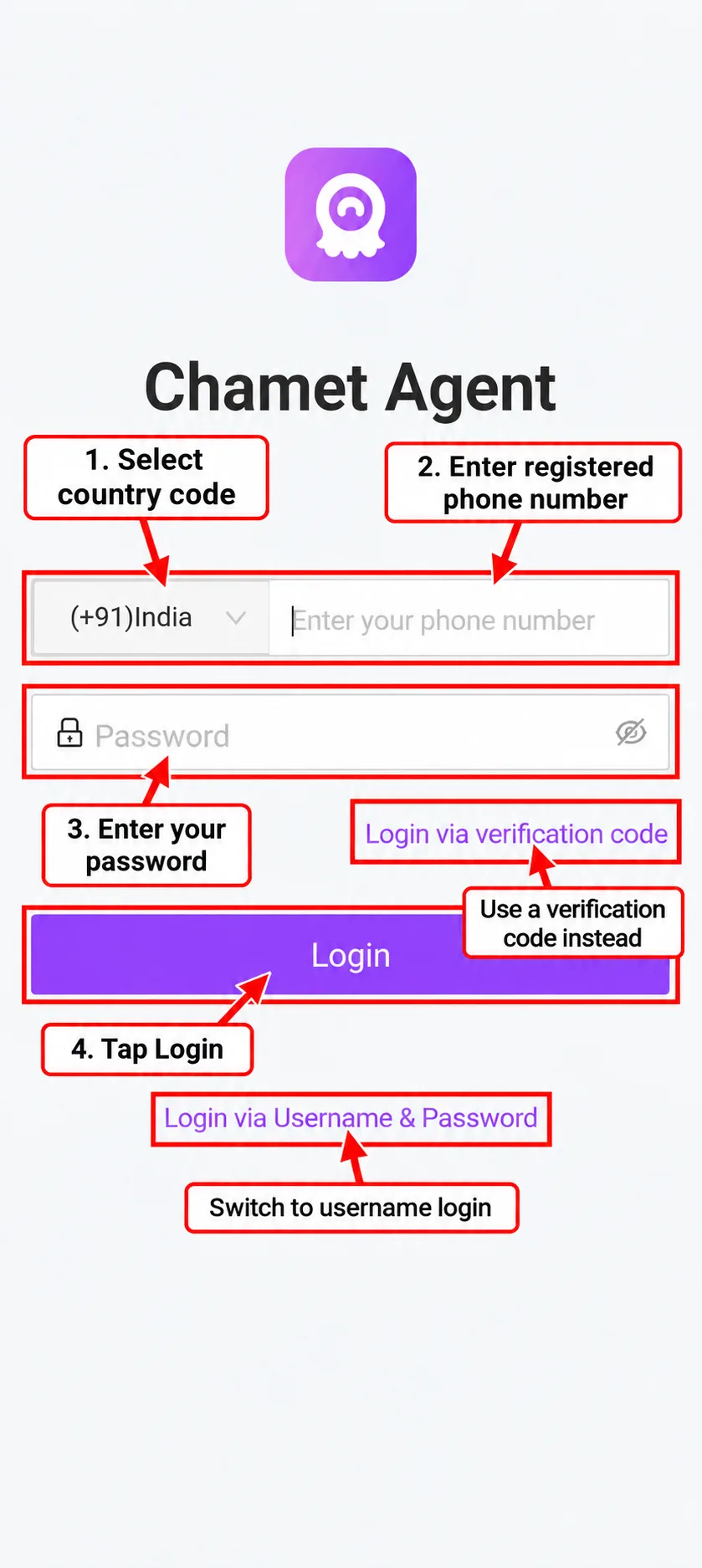
Register your Chamet agency, sign in to the agent dashboard and find the invitation links for new hosts and agents. This illustrated guide follows the registration and login screens step by step.
Want to join as a host instead? Follow our Chamet host registration guide. Already registered? View the agency login guide.
Independent agency website. The registration button opens an external platform and includes our agency referral identifier.
Start by learning the dashboard and helping your first recruits complete their onboarding. A useful welcome message should explain which link to open, which registration method to use and where to find help.
Invitation Link for New Hosts
For new hosts, share the Chamet host registration guide. It explains email and phone registration, app login, profile details, face verification and greeting setup.
Invitation Link for New Agents
For new agents, use the agent invitation link and explain how to access their dashboard. Review your own commission ratio and the account notices before making earnings estimates for your team.
Next, read how your agency commission is calculated
Open the agency registration link, verify your phone number, create your password and complete the registration prompts. Then log in to your agency dashboard and locate the invitation links for new hosts and agents.
No. Agency registration is for managing and supporting a team. Host registration is for creating a host account. Use the matching registration link so you begin the correct process. Hosts should follow the Chamet host registration guide.
Check your phone number and country code. Wait for the resend timer, then request another code if that option is available. Follow any error message on the registration screen. Do not give your password or verification code to another person.
Open the agent portal and choose the username or phone-number login option. Our agency login guide explains each login method and common problems.
Find Invitation Link for New Hosts in your dashboard and tap Share. Send that link with the host onboarding instructions. Use Invitation Link for New Agents when inviting another agent.
No. Chametagency.org is an independent agency website providing registration links and onboarding information. Account verification, platform features and payment processing are controlled by the relevant service providers.
Open the agency registration link and keep this guide available as you verify your phone, create your password and sign in to the dashboard.
WhatsApp: +91 9233262700