
Host guide
Chamet Host Registration: How to Join and Set Up Your Profile
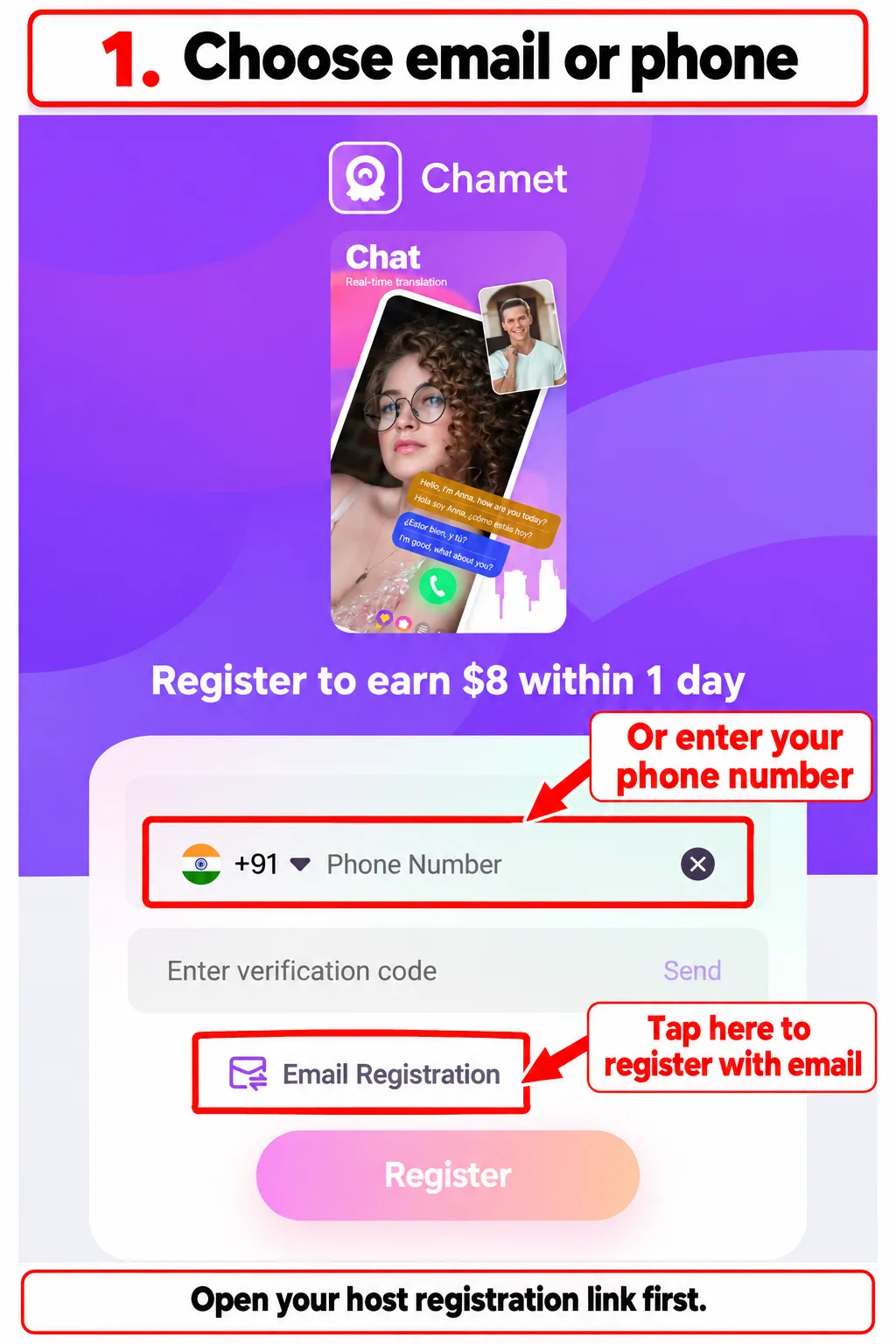
Register as a Chamet host using your email address or phone number, then continue your setup inside the app. This illustrated guide takes you through the invitation page, app login, profile details, face verification and greeting setup.
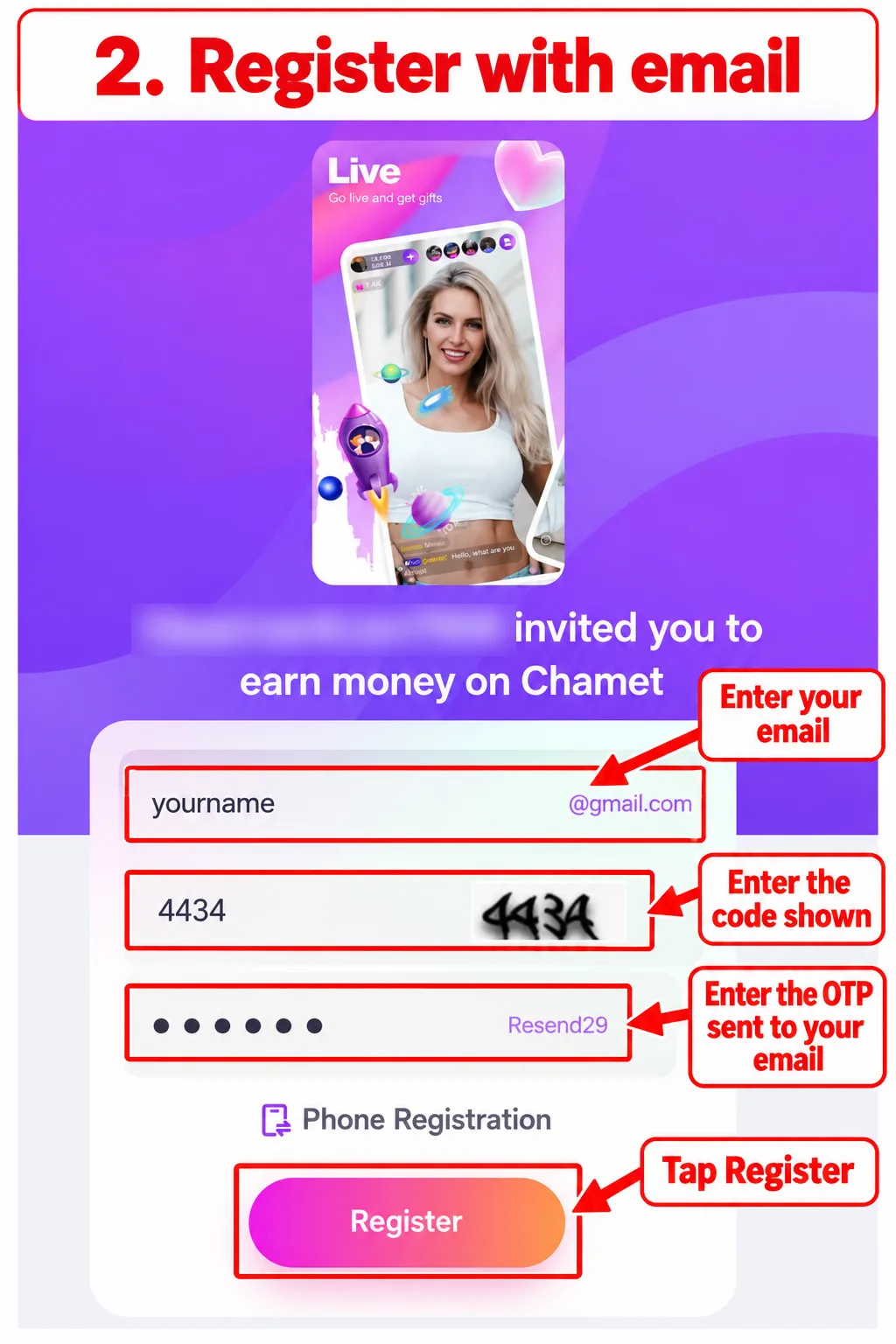
The screenshots follow the email registration route. If you choose phone registration, use the same phone number when you log in to the app.
Want to recruit and manage a team? Visit our Chamet agency registration guide instead.
How to Register as a Chamet Host
-
Open the host registration link
-
Register with your email
-
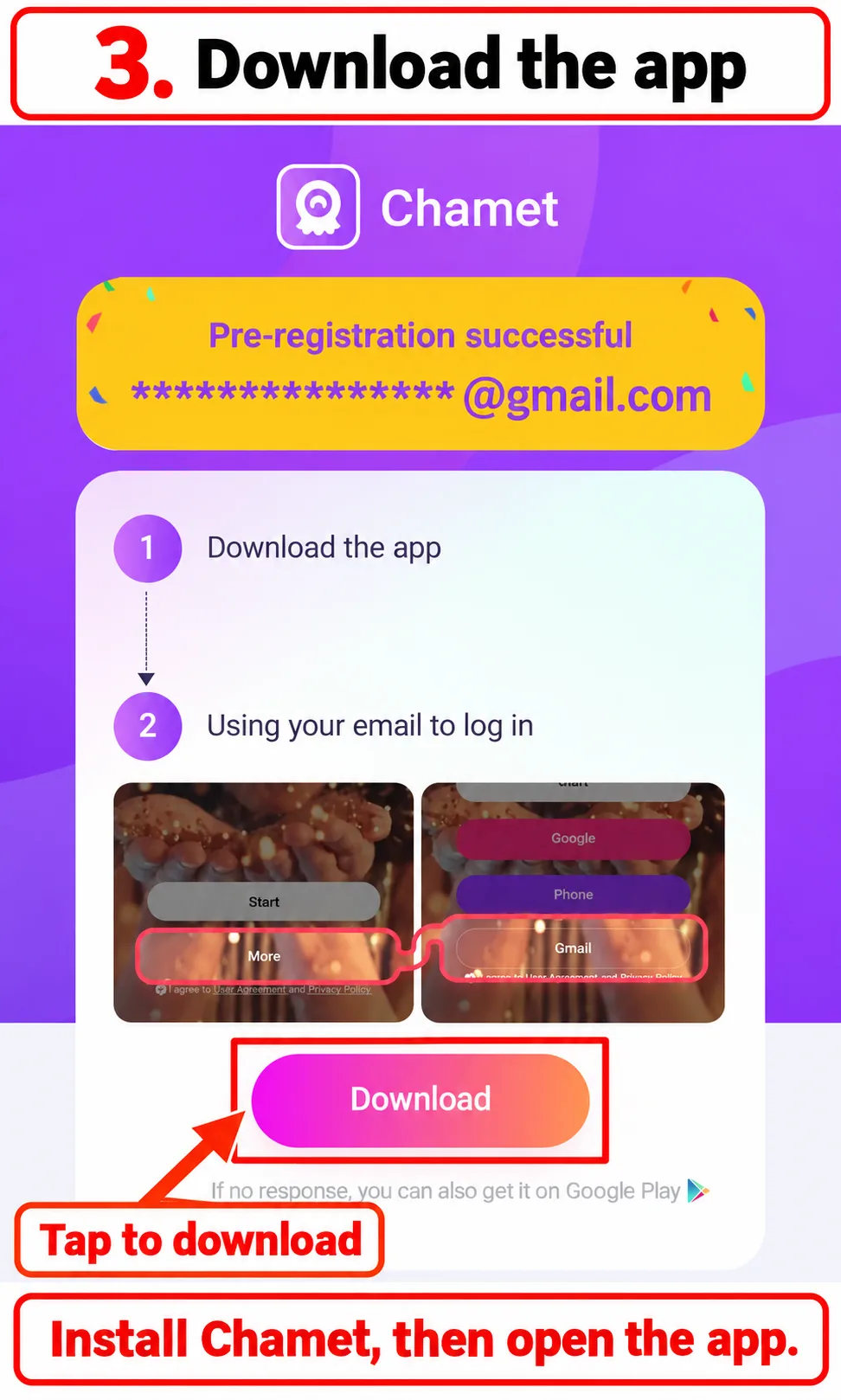
Tap Download and install the app
-
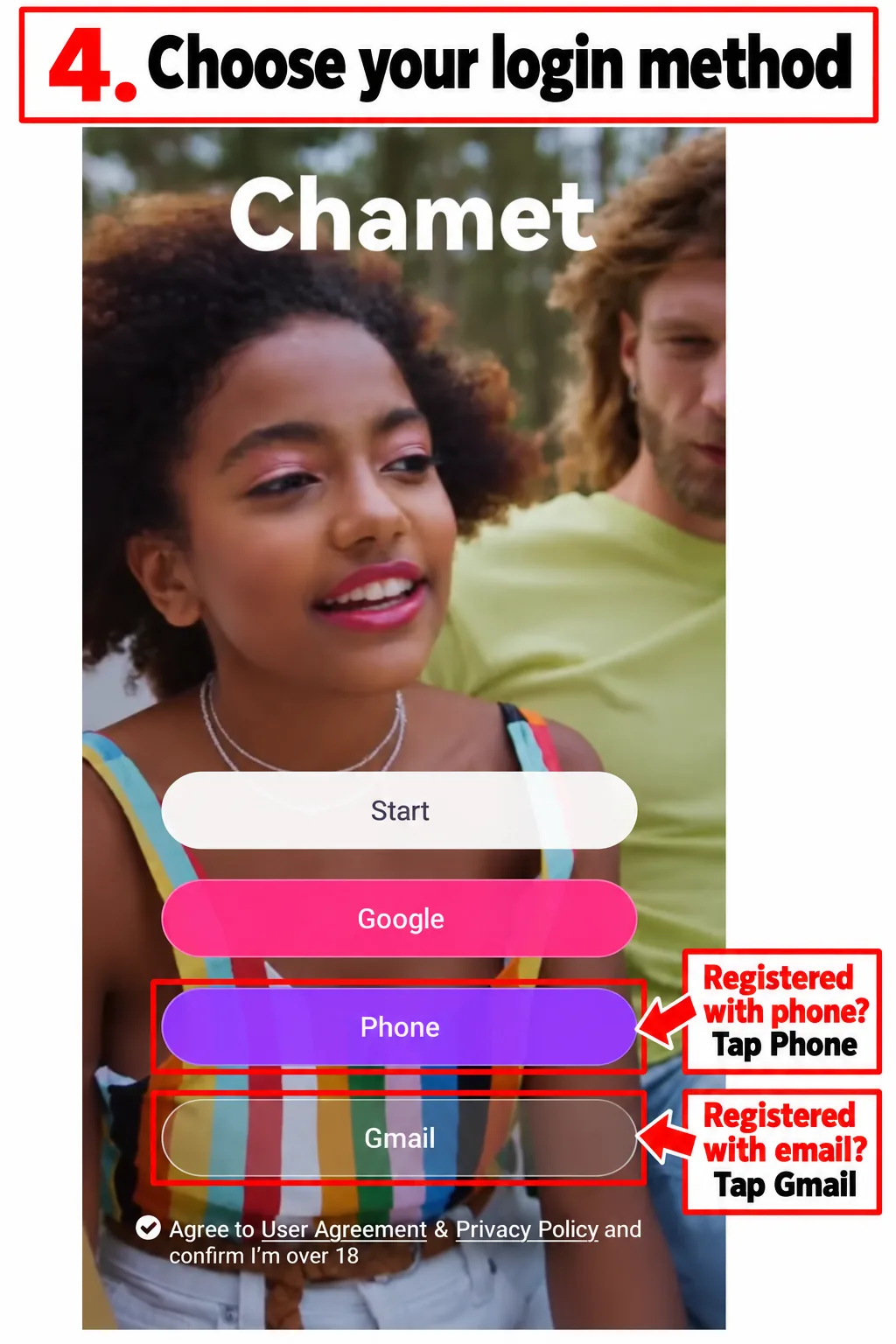
Choose your login method
-
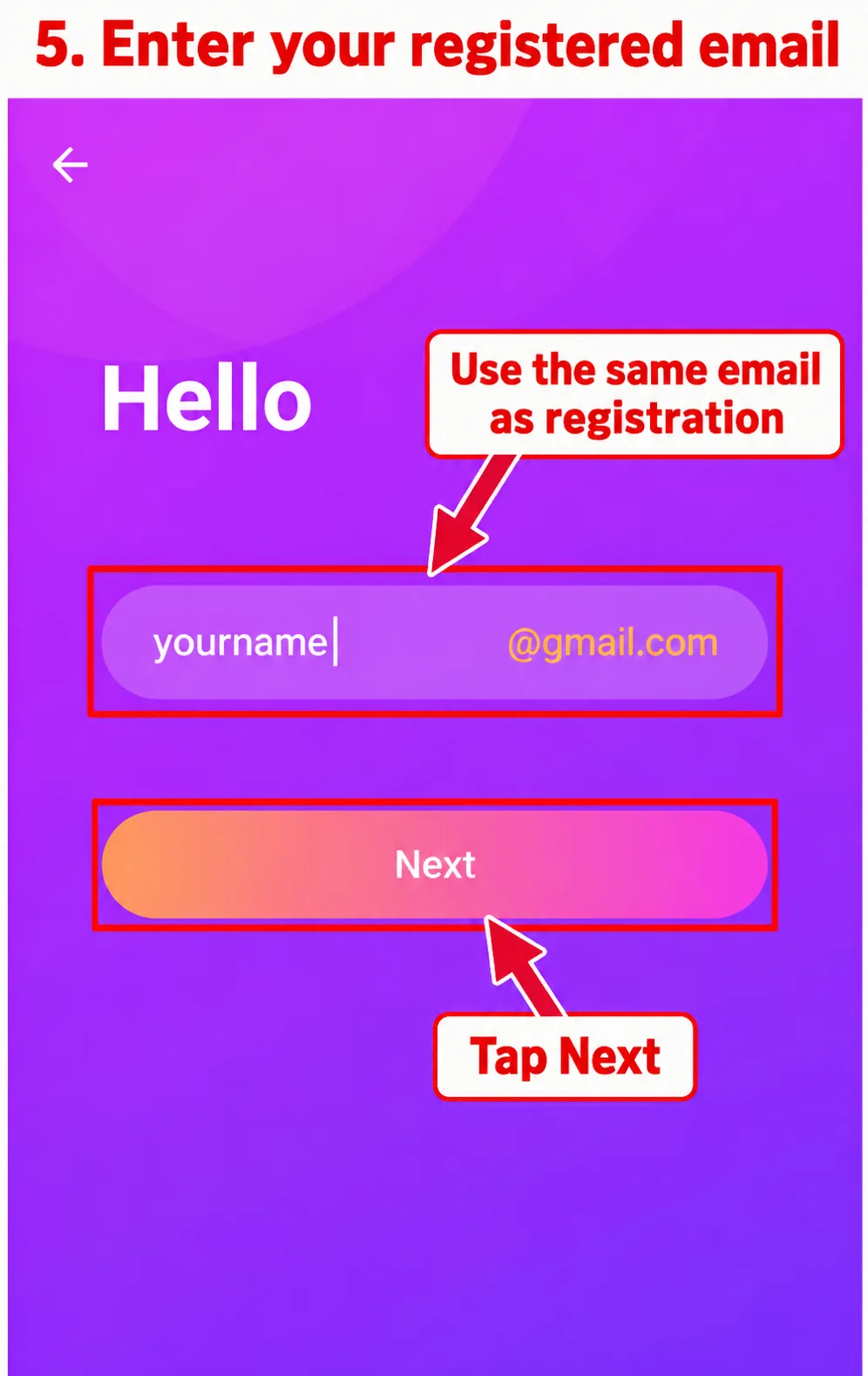
Enter your registered email
-
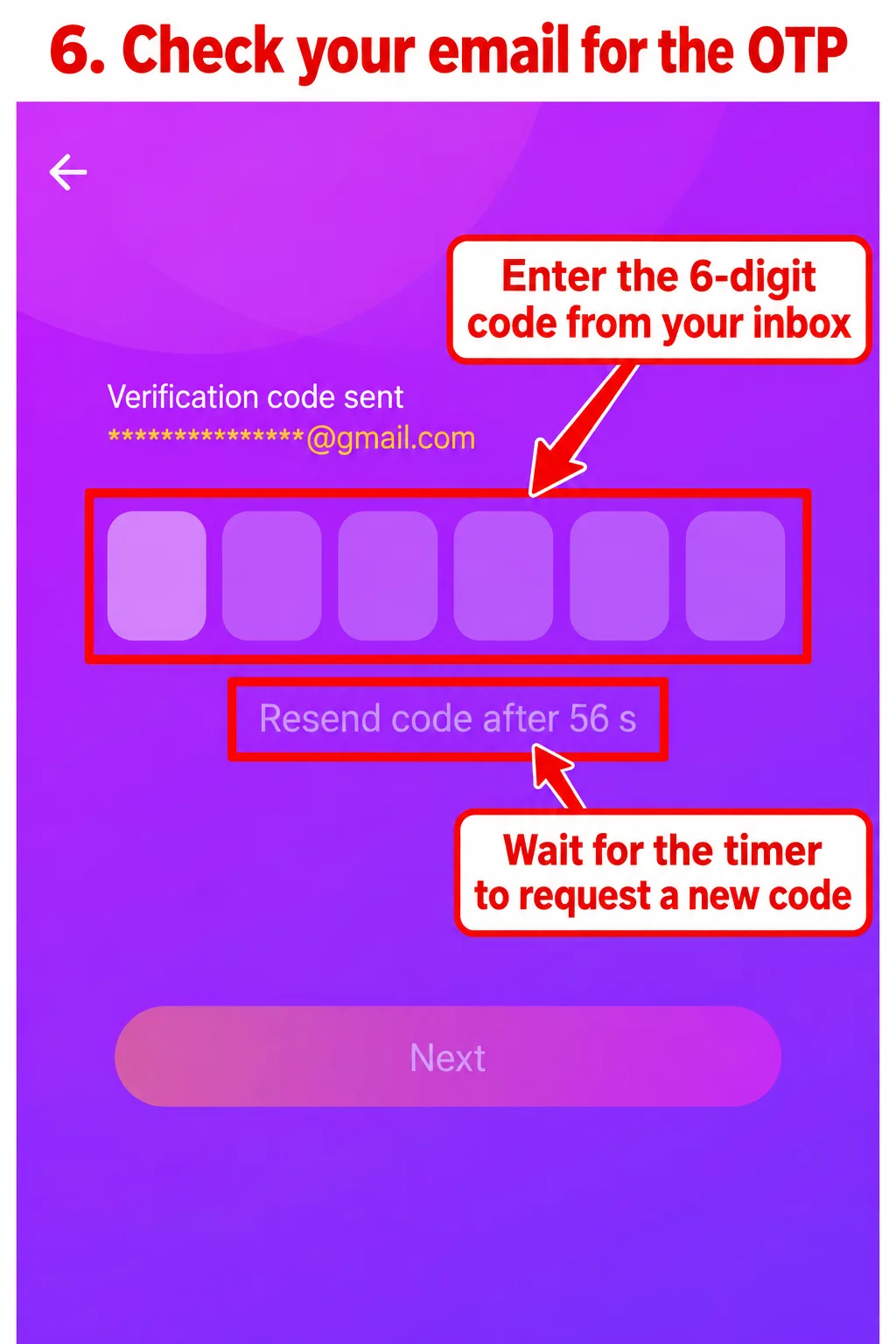
Check your email for the OTP
-
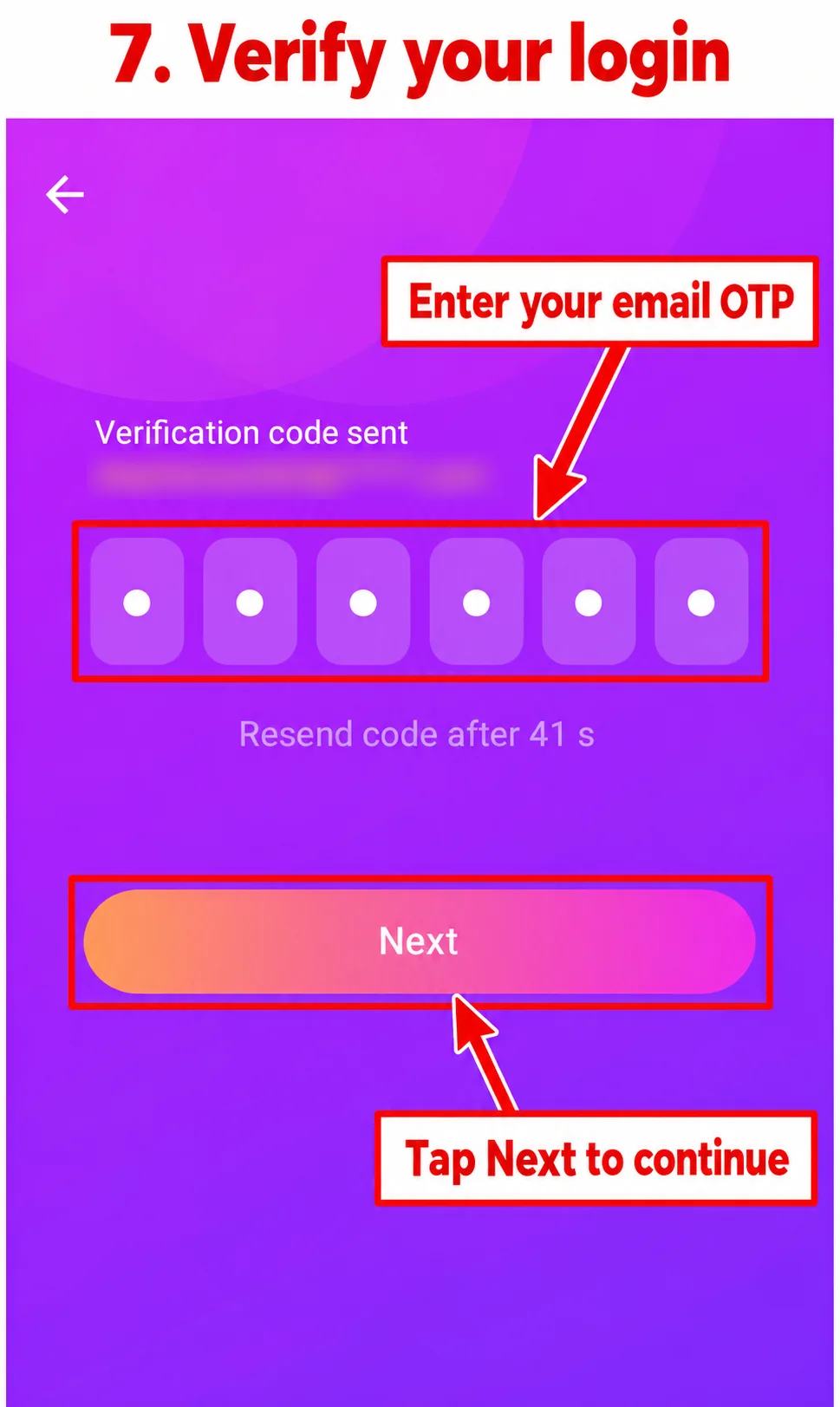
Verify your login
-
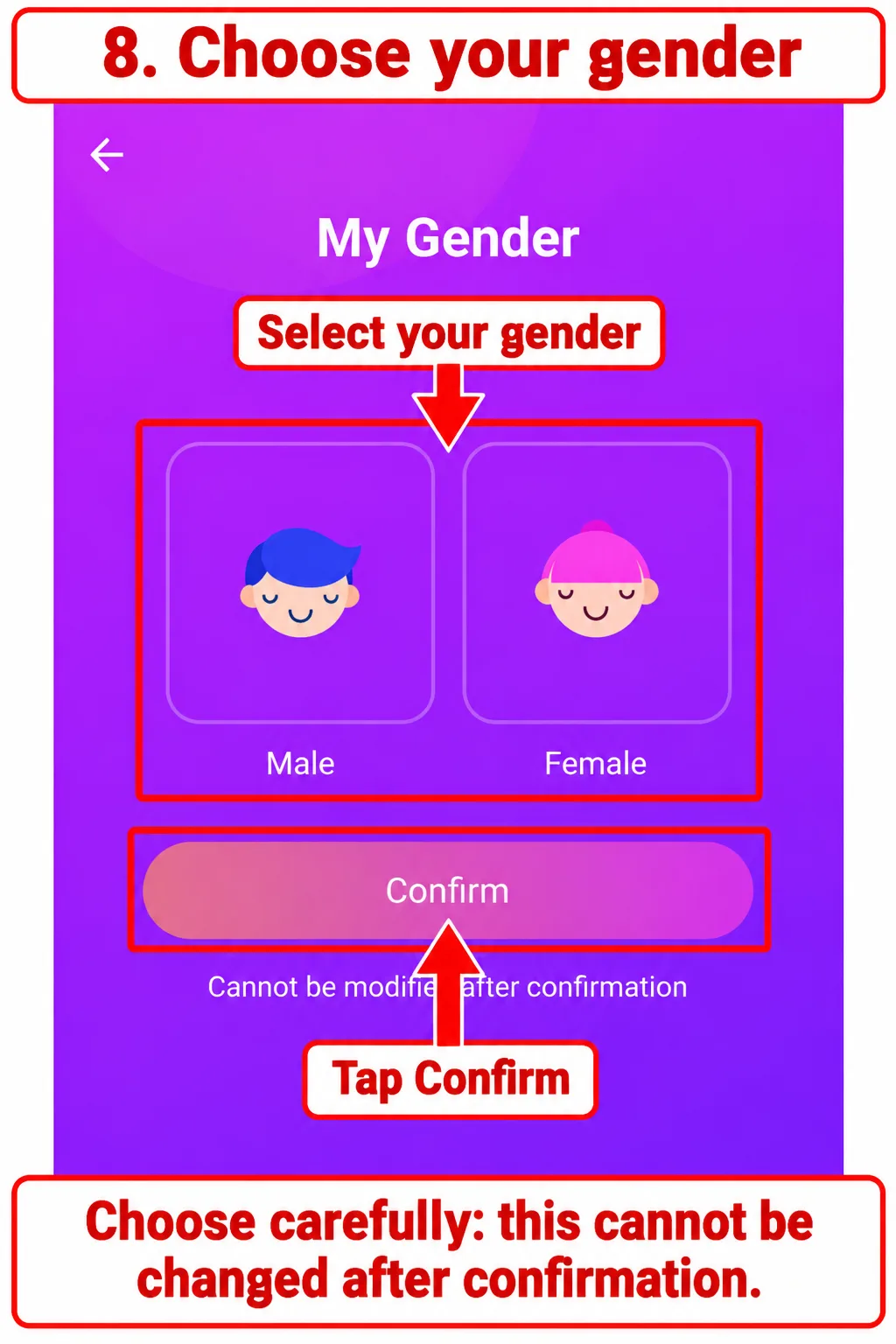
Choose your gender carefully
-
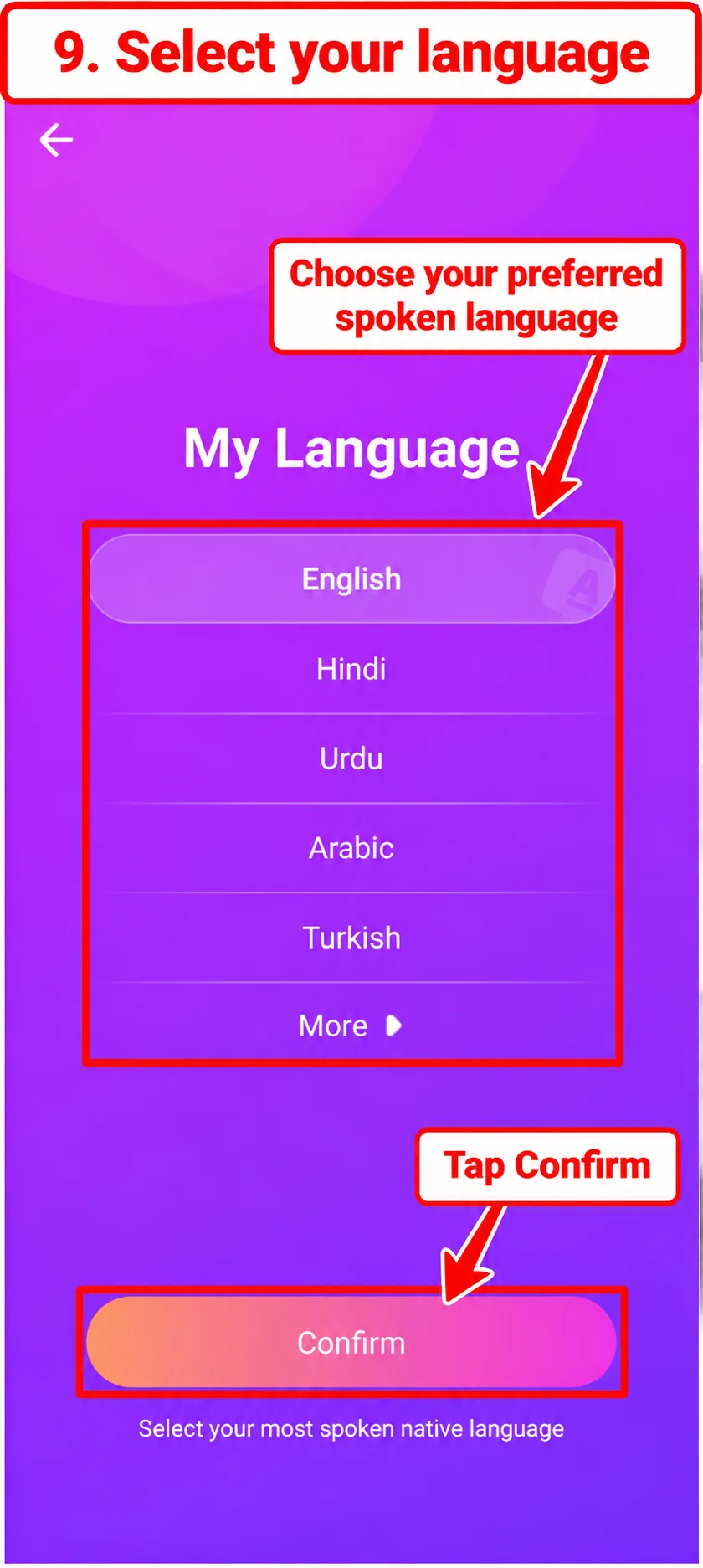
Choose your preferred language
-
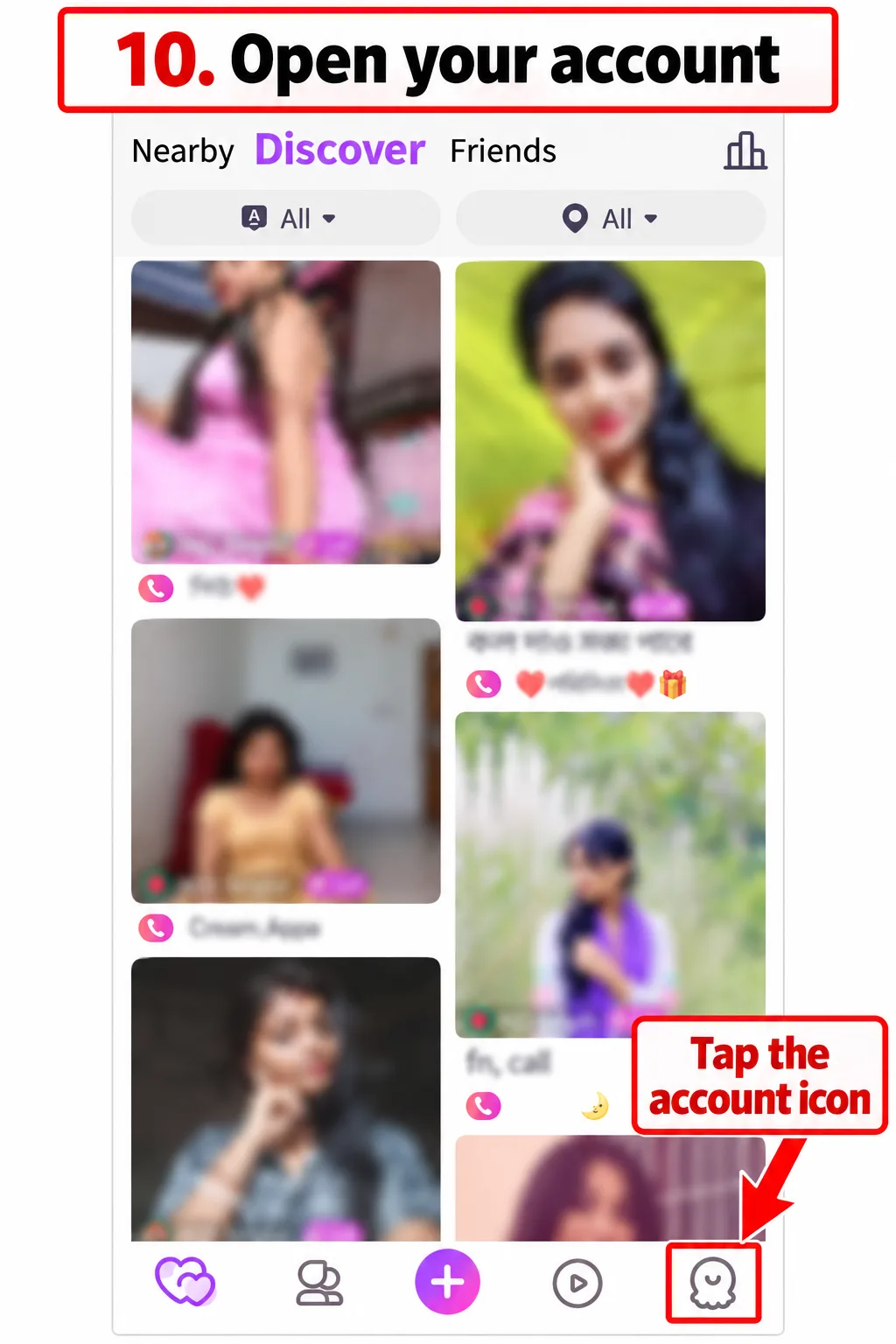
Open your account
-
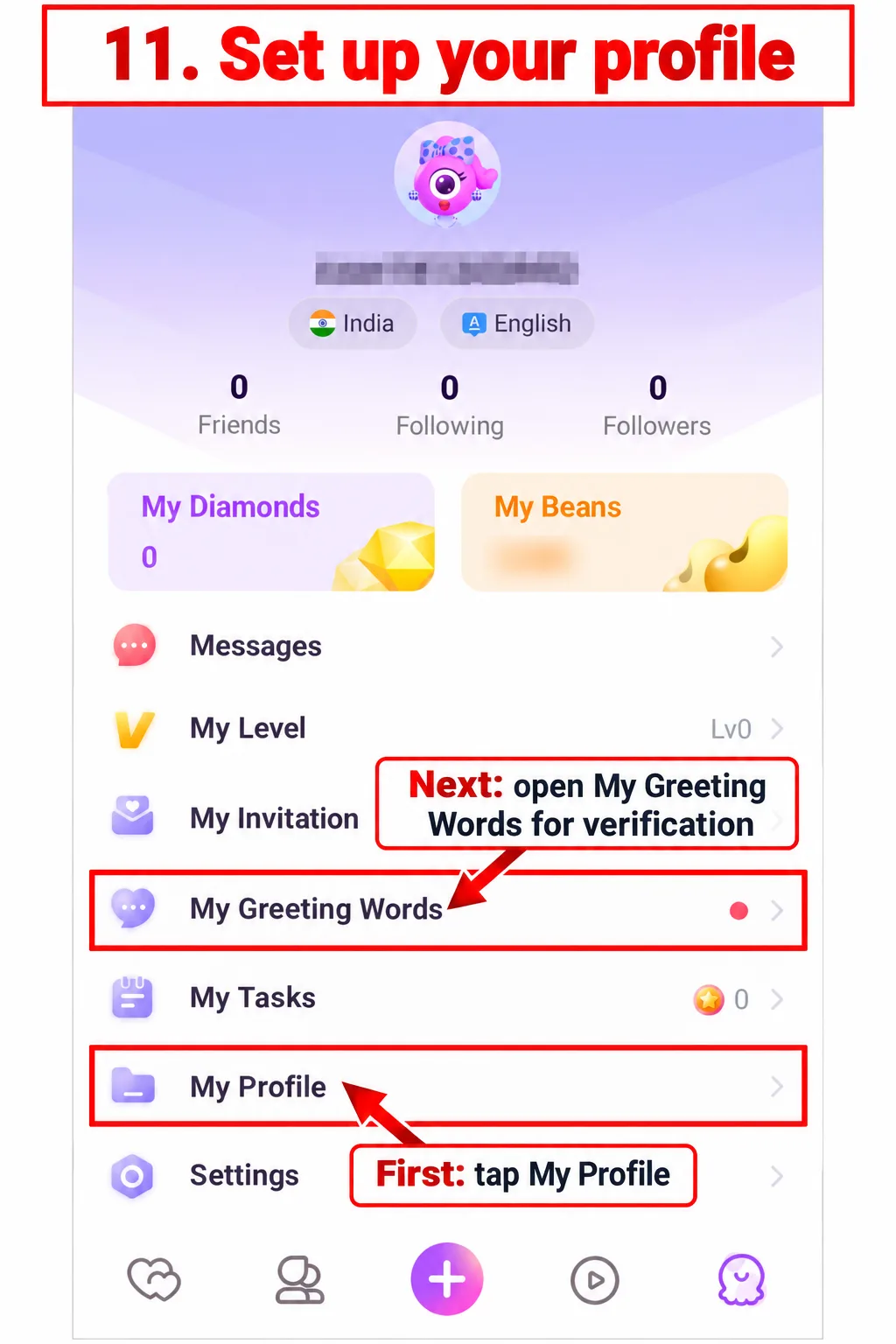
Open My Profile
-
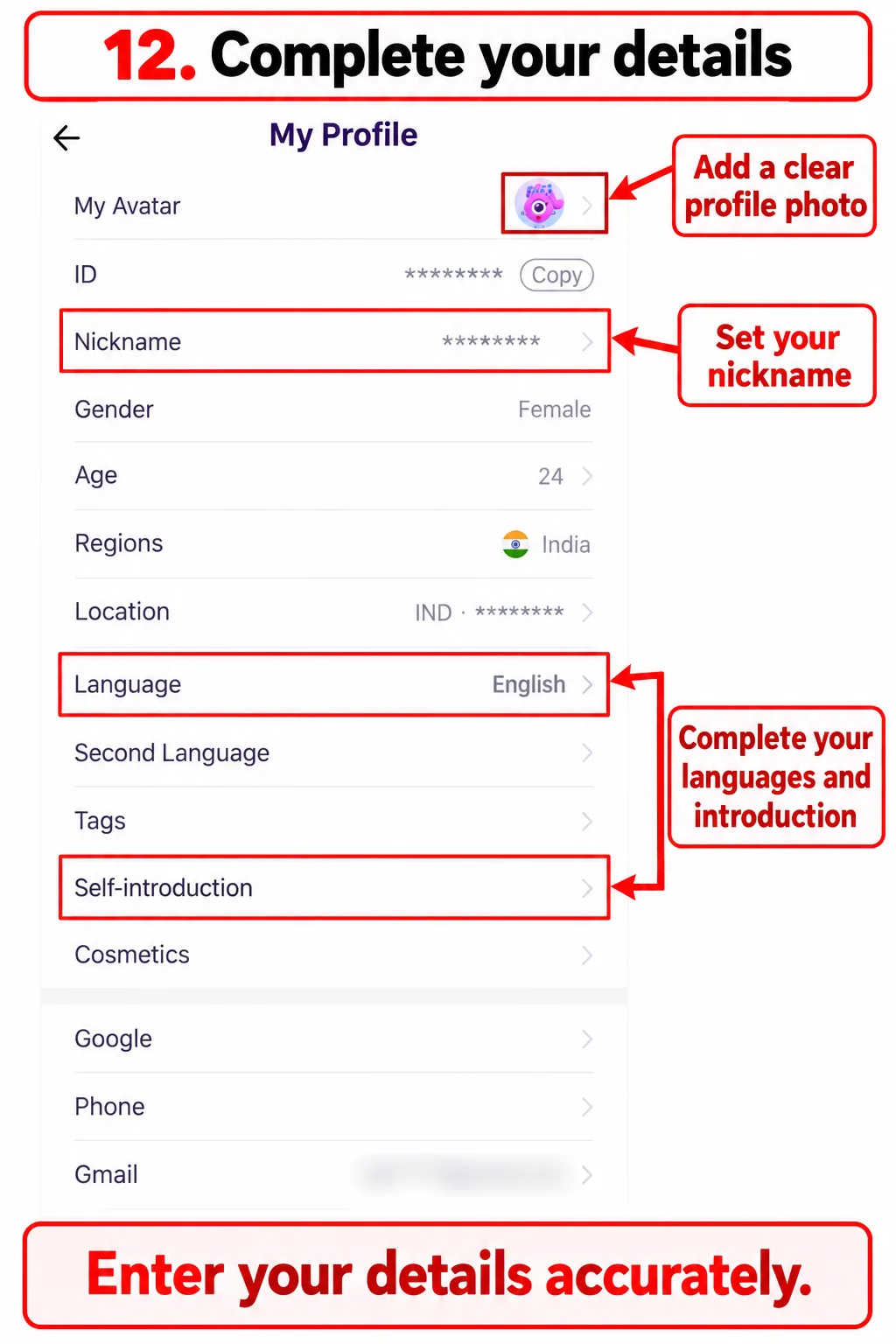
Complete accurate profile details
-
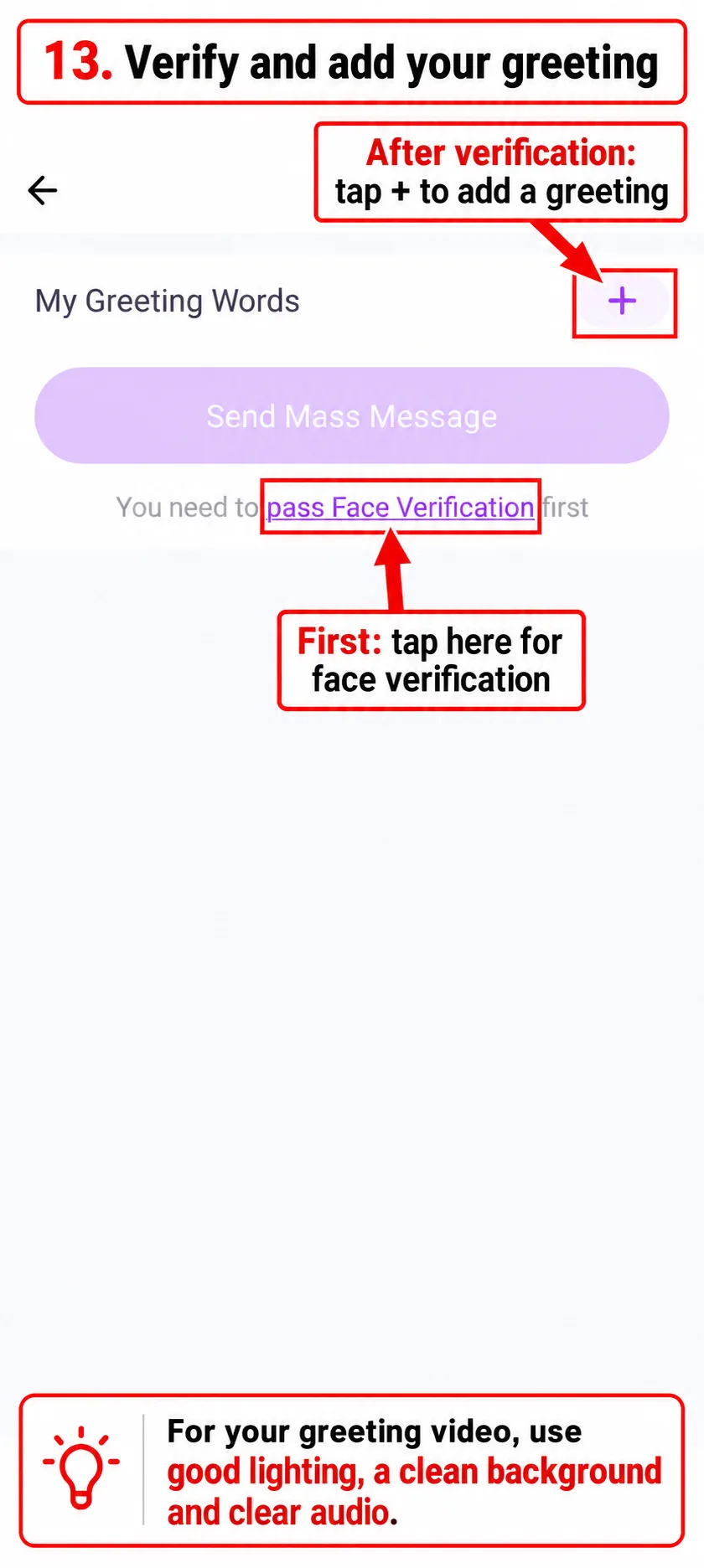
Open My Greeting Words
-
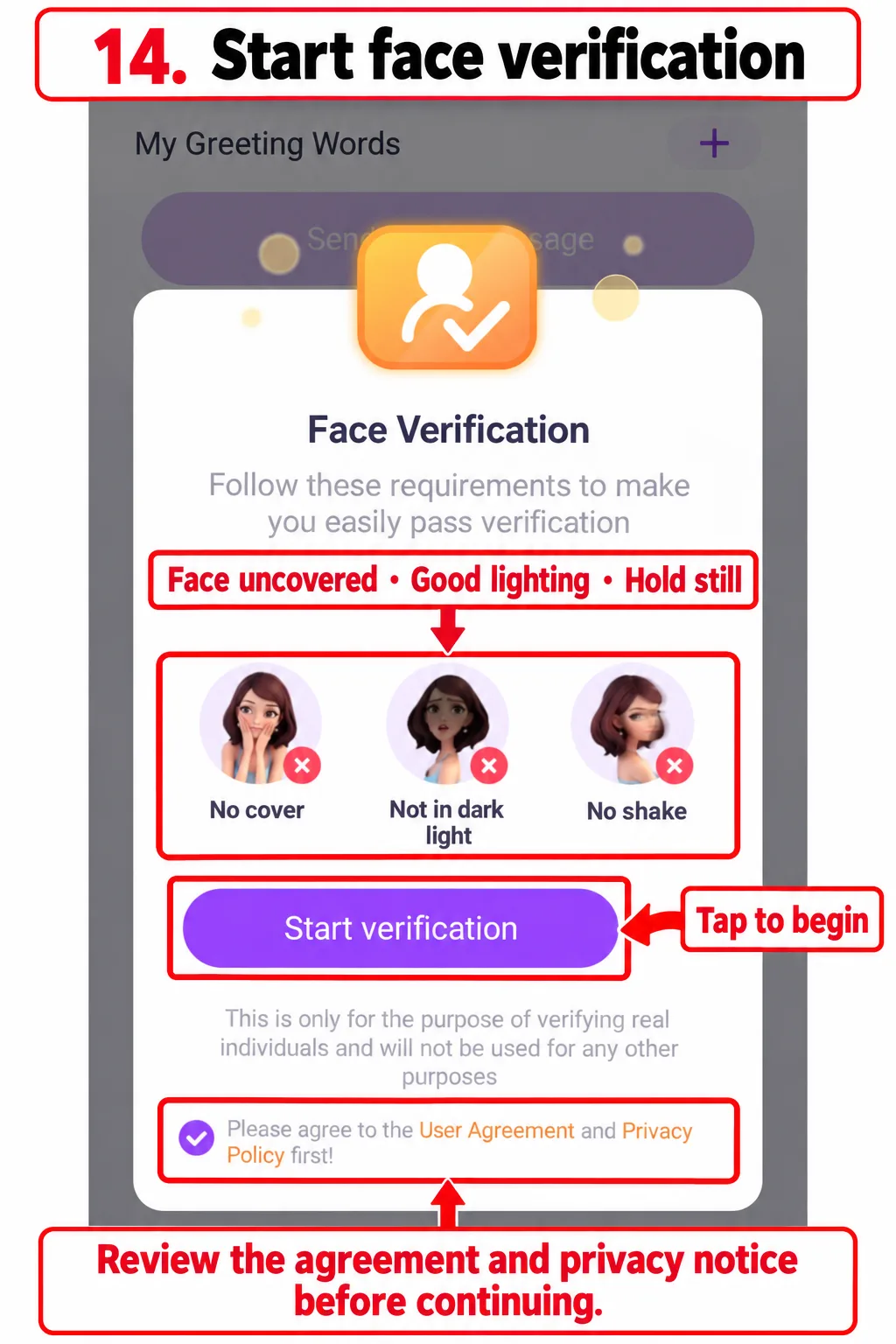
Review the instructions and start verification
-
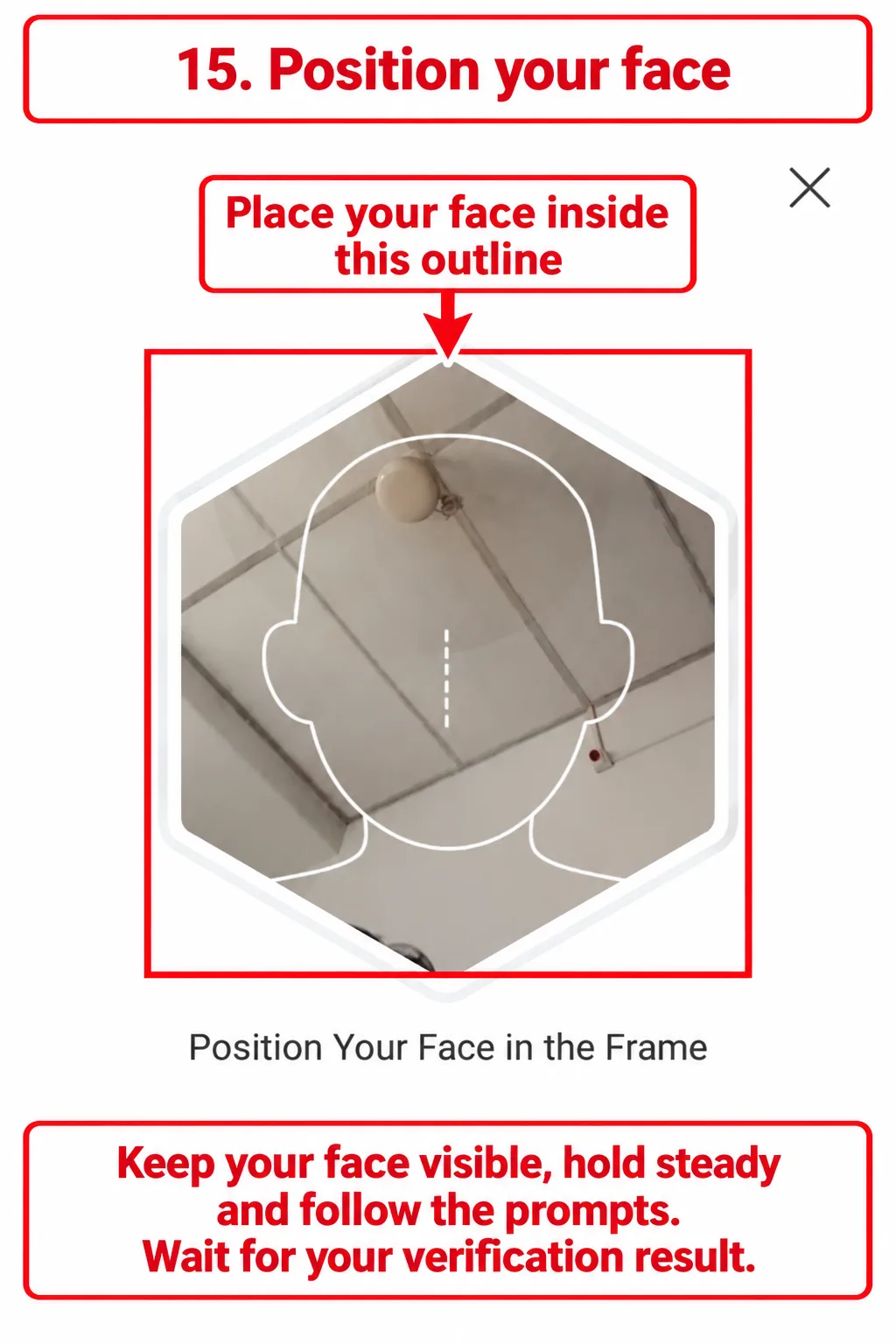
Position your face and follow the prompts
What Happens After Registration?
Review your profile, face-verification result and any remaining setup notices. Complete any additional approval steps shown in your account before using the hosting features available to you.
Registration alone does not guarantee host approval or earnings. Your access and earnings depend on the platform’s requirements, available features and eligible activity.
When you are ready to prepare your payment account, follow our MetWallet setup and Chamet withdrawal guide. Use the instructions for hosts; an agent’s commission setup is a separate process.
Having Trouble with Host Registration?
| Problem | What to check |
|---|---|
| Email code has not arrived | Check the address you entered and your spam or junk folder. Wait for the resend timer before requesting another code. |
| Phone code has not arrived | Check your country code and number, then follow any retry instructions displayed. |
| You cannot find your account after installation | Confirm that you chose the same login method and credentials used during pre-registration. |
| Face verification is unsuccessful | Keep your face uncovered, improve lighting and hold the phone steady. Follow the specific message shown by the app. |
| Your screen looks different | Follow the labels and requirements on your version. If you need help, send a screenshot with personal details hidden. |
For help understanding the guide, contact us on WhatsApp (opens in a new tab). Share the step you reached and the error message. Never send your password or verification code.
Frequently Asked Questions
Can I register as a Chamet host with email?
Yes, the registration screen in this guide includes an Email Registration option. Complete the email verification step and use the same email when continuing inside the app.
Can I use my phone number instead?
The registration page also offers a phone option. Choose your country code, enter your number and complete the verification prompts. Use the matching phone login option in the app afterward.
Should I select Google or Gmail to log in?
For the email process shown in this guide, select Gmail. The welcome screen presents Google and Gmail separately. Match your login method to the route you used during registration.
Where do I find face verification?
In the illustrated route, open the account menu, select My Greeting Words and tap pass Face Verification. Follow the prompts and wait for the verification result.
Does pre-registration mean my host account is fully ready?
No. After pre-registration, continue with app installation, login, profile setup and verification. Complete any additional requirements or approval steps shown in your account.
Can an existing account join through this link?
This walkthrough covers a new registration. If you already have an account, ask about the applicable eligibility rules before attempting to join. Do not create duplicate accounts to bypass restrictions or assume that an existing agency connection can be changed.
Are host earnings guaranteed?
No. This guide explains registration and setup, not a guaranteed income offer. Review the current earning rules and payment conditions within your account.
Is this the official Chamet website?
No. Chametagency.org is an independent agency website providing registration links and onboarding information. The relevant service providers control account verification, app access and payments.
Ready to Join as a Host?
Open the host registration link and choose email or phone signup. Keep this guide available as you complete your profile and verification.
WhatsApp: +91 9233262700
Our host registration link contains an agency referral identifier. Earnings and approval are subject to the applicable platform requirements.